Radical Technologies
OTHER
★★★★★
(2,095 ratings)  50,000+ Student

Python / Ansible / Terraform / Jenkins | Job-Oriented

Python Programming & Automation Training helps you develop practical skills in Python programming, scripting, and IT automation. Learn Python fundamentals, advanced scripting, API integration, file handling, and automation techniques through hands-on labs and real-world projects. This course is ideal for beginners and IT professionals looking to build careers in Python Automation, DevOps, and Cloud Engineering.

RT
Radical Technologies
50,000+ English 80 Hours Weekdays / Weekends Classroom / Online / Corporate
Online / Classroom

Python / Ansible / Terraform / Jenkins | Job-Oriented

IT Training Programme

Duration 80 Hours
Batch Type Weekdays / Weekends
Mode of Training Classroom / Online / Corporate
Locations Pune, Bangalore, Kochi
Language English
Certification Globally Recognized
Call Now

100% placement assistance

Enquire Now

Get course fees, batch dates & a callback

We never share your details.

What you'll learn

Understand core concepts and architecture from the ground up
Get hands-on with the tools used by working professionals
Build real-world projects you can add to your portfolio
Learn industry best practices and coding standards
Practice with real datasets and real-world scenarios
Prepare for certification and technical interviews
Work on collaborative, team-based exercises
Apply performance tuning and optimization techniques
Understand how the technology fits into a larger ecosystem
Complete assignments reviewed by mentors

Programme Overview

60 sections covering the complete curriculum — a single, progressive learning arc.

80 Hours
Training Duration
60
Core Modules
464
Total Lessons
4.9★
Average Rating
50K+
Students Trained
01

Foundations & Core Concepts

Get hands-on with the fundamentals and architecture — the building blocks for everything that follows.

Fundamentals Architecture Setup
02

Hands-On Practical Training

Work through real exercises and assignments designed to mirror what you will do on the job.

Practicals Assignments Labs
03

Real-World Projects

Apply what you have learned to end-to-end projects that go straight into your portfolio.

Projects Portfolio Case Studies
04

Advanced Techniques

Go beyond the basics with advanced concepts, integrations and production-grade practices.

Advanced Integration Best Practices
05

Ecosystem Integration

Understand how this technology connects with the broader tools and platforms used in the industry.

Ecosystem Tools Platforms
06

Performance & Interview Prep

Master optimization techniques and prepare for the technical interview questions employers actually ask.

Optimization Interview Prep Certification

Who is this programme for?

Whether you're already writing code, working with data, or supporting applications today — this programme is built to take you into a OTHER role.

Software Developers

Engineers who want to add this skill set to their toolkit

Analysts & Consultants

Professionals moving into a more technical, hands-on role

IT Professionals

System admins and support engineers upskilling into a new domain

Fresh Graduates

CS/IT graduates aiming for a job-ready technical role

Course Curriculum

60 sections  •  464 lessons  •  80 Hours

01 1. Python Programming & Automation – 20 Hours

20 Hours Basic to Advanced

02 Course Overview
This course introduces Python programming from fundamentals to advanced scripting and
automation. Participants learn to develop reusable scripts, automate repetitive IT operations,
work with APIs, process files, handle errors, and build practical automation solutions used in
DevOps and cloud environments.

Target Roles:

Python Automation Engineer
Junior Python Developer
DevOps Automation Engineer
Infrastructure Automation Engineer
Scripting and Support Engineer
03 Prerequisites
Basic computer and operating system knowledge.
Familiarity with Windows or Linux is beneficial.
Basic understanding of programming concepts is helpful but not mandatory.
04 Fundamentals
Python interpreter, IDEs and execution methods.
Variables, constants and data types.
Operators and expressions.
Input and output operations.
Comments, indentation and coding structure.
Python script execution and debugging basics.
05 Core Technical Topics – Main Syllabus
Module Topics Duration
1 Python Introduction, Installation, Syntax and Fundamentals 2 Hrs
2 Data Types, Operators, Strings, Lists, Tuples, Sets and Dictionaries 3 Hrs
3 Conditional Statements, Loops, Functions and Modules 3 Hrs
4 File Handling, Exception Handling and Regular Expressions 2 Hrs
5 Object-Oriented Programming: Classes, Objects, Inheritance and Encapsulation 2 Hrs
6 Libraries, Packages, Virtual Environments and Dependency Management 2 Hrs
7 Advanced Python: Comprehensions, Iterators, Generators and Decorators 2 Hrs
8 JSON, REST APIs, Requests, OS and Subprocess Automation 2 Hrs
9 Logging, Unit Testing, Debugging and Automation Project 2 Hrs
Total 9 Modules 20 Hrs
06 Hands-On Labs
Python Installation and Environment Configuration Lab.
Variables, Data Types and Operators Lab.
String Manipulation and Data Structures Lab.
Conditional Statements and Loop Automation Lab.
Function Creation and Reusable Modules Lab.
File Read, Write and Directory Management Lab.
Exception Handling and Error Logging Lab.
OOP-Based Application Development Lab.
JSON and REST API Integration Lab.
Linux System Information and Process Automation Lab.
Python Subprocess and Command Execution Lab.
Unit Testing and Debugging Lab.
07 Assignments
Build a calculator using functions.
Develop a file and folder organizer.
Write a script to identify duplicate files.
Create a log-file parser to extract errors and warnings.
Develop a script to monitor disk and memory usage.
Write a Python program to consume a REST API.
Create a script to check server connectivity.
Build a reusable Python module with exception handling.
08 Mini Projects
Server Health Monitoring: Monitor CPU, memory, disk and system uptime.
Automated Backup Utility: Copy, compress and maintain backup files.
Log Analysis Tool: Identify failed logins, errors and warning patterns.
API Data Collector: Retrieve and process data from a REST API.
Bulk File Management: Rename, organize and archive files automatically.
09 Capstone Project
Python-Based IT Infrastructure Monitoring and Automation System

Develop an automation solution that:

Collects server health information.
Monitors CPU, memory and disk utilization.
Checks server availability.
Reads and analyses application logs.
Generates alerts for defined thresholds.
Stores monitoring results in CSV or JSON.
Produces automated reports.
10 Real-Time Job-Oriented Scenarios
Automating repetitive Linux administration tasks.
Monitoring multiple servers using Python scripts.
Automating backup and archival operations.
Extracting application errors from production logs.
Calling cloud and infrastructure APIs.
Automating deployment-related checks.
Generating daily operational reports.
11 Troubleshooting Scenarios
Python module not found errors.
Incorrect file paths and permission issues.
API authentication failures.
HTTP timeout and connection errors.
Memory issues while processing large files.
Script failures due to invalid input.
Python dependency and version conflicts.
12 Industry Tools
Python 3
VS Code
PyCharm
Jupyter Notebook
pip
venv
Git and GitHub
Postman
Requests
Pytest
Linux CLI
13 Best Practices
Follow PEP 8 coding standards.
Use meaningful variable and function names.
Write reusable and modular code.
Use virtual environments.
Implement exception handling and logging.
Secure API credentials using environment variables.
Maintain code using Git.
Write unit tests for critical functions.

Certification Names

Python Institute Certified Entry-Level Python Programmer (PCEP).
Python Institute Certified Associate Python Programmer (PCAP).
Python Institute Certified Professional Python Programmer (PCPP1).
14 Mock Interviews
Python fundamentals and data structures.
Functions, OOP and exception handling.
File operations and API integration.
Script-writing exercises.
Debugging and real-time automation scenarios.
15 Ansible Automation & Configuration Management – 20 Hours

20 Hours Basic to Advanced

16 1. Course Overview
This course provides practical knowledge of Ansible for configuration management,
application deployment, infrastructure automation and server administration. Participants
learn to manage multiple Linux servers, create playbooks, use roles, manage variables,
automate deployments and integrate Ansible into DevOps workflows.

Target Roles:

DevOps Engineer
Ansible Automation Engineer
Linux Automation Engineer
Configuration Management Engineer
Infrastructure Engineer
17 2. Prerequisites
Basic Linux commands.
Understanding of files, directories and permissions.
Basic networking concepts.
SSH fundamentals.
Basic YAML knowledge is beneficial.
18 3. Fundamentals
Introduction to configuration management.
Infrastructure automation concepts.
Introduction to Ansible architecture.
Control node and managed nodes.
Agentless automation.
SSH connectivity.
Inventory and configuration files.
YAML fundamentals.
Ansible installation and environment setup.
19 4. Core Technical Topics – Main Syllabus
Module Topics Duration
1 Introduction to Ansible, Architecture and Installation 2 Hrs
2 Inventory, Configuration Files, SSH and Ad-Hoc Commands 2 Hrs
3 YAML, Playbooks, Tasks, Modules and Execution 3 Hrs
4 Variables, Facts, Conditionals, Loops and Handlers 3 Hrs
5 Templates, Jinja2 and File Management 2 Hrs
6 Roles, Collections and Reusable Automation 2 Hrs
7 Ansible Vault, Tags and Error Handling 2 Hrs
8 Application Deployment, Linux Administration and Cloud Automation 2 Hrs
9 Troubleshooting, Automation Testing and Capstone Exercise 2 Hrs
Total 9 Modules 20 Hrs
20 5. Hands-On Labs
Ansible Installation and Configuration Lab.
Control Node and Managed Node Setup Lab.
SSH Key-Based Authentication Lab.
Static and Dynamic Inventory Management Lab.
Ad-Hoc Command Execution Lab.
YAML Playbook Development Lab.
Linux User and Group Management Lab.
Package Installation and Service Management Lab.
Variables, Facts and Conditionals Lab.
Loops and Handlers Implementation Lab.
Jinja2 Template and Configuration Management Lab.
Ansible Roles and Collections Lab.
Ansible Vault Secret Management Lab.
Multi-Server Application Deployment Lab.
21 6. Assignments
Create an inventory for multiple Linux servers.
Automate user and group creation.
Install and configure Apache or Nginx.
Develop a playbook to manage Linux services.
Create a playbook for package updates.
Implement variables and conditional execution.
Create reusable roles for server configuration.
Encrypt sensitive credentials using Ansible Vault.
22 7. Mini Projects
Linux Server Provisioning: Configure multiple Linux servers automatically.
Web Server Automation: Install and configure Apache or Nginx across multiple nodes.
User Management Automation: Manage users, groups and SSH access.
Configuration Management: Maintain consistent configurations across environments.
Application Deployment: Automate application installation and service startup.
23 8. Capstone Project
Multi-Server Configuration Management and Application Deployment

Build an Ansible automation framework that:

Manages multiple Linux servers.
Configures users, groups and permissions.
Installs required packages.
Deploys and configures web servers.
Uses variables, templates and roles.
Secures credentials using Ansible Vault.
Validates service availability.
Supports repeatable execution across environments.
24 9. Real-Time Job-Oriented Scenarios
Automating configuration across 50+ Linux servers.
Deploying application packages across development and production environments.
Applying security patches to multiple servers.
Managing service configurations consistently.
Automating user provisioning and access management.
Maintaining configuration consistency across environments.
Executing scheduled infrastructure maintenance.
25 10. Troubleshooting Scenarios
SSH authentication failures.
Unreachable managed nodes.
Inventory syntax errors.
YAML indentation errors.
Undefined variables.
Failed task execution.
Incorrect file permissions.
Ansible Vault password issues.
Idempotency and configuration drift problems.
26 11. Industry Tools
Ansible Core
Ansible Galaxy
Ansible Navigator
Ansible Vault
Linux
SSH
YAML
Jinja2
Git and GitHub
VS Code
AWS EC2
Molecule (introductory testing exposure)
27 12. Best Practices
Design idempotent playbooks.
Use roles for reusable automation.
Maintain separate inventories for environments.
Store sensitive information in Ansible Vault.
Follow YAML formatting standards.
Use meaningful task names.
Apply tags for selective execution.
Validate playbooks before production deployment.
Maintain playbooks in Git repositories.
28 13. Certification Names
Red Hat Certified Engineer (RHCE) – EX294: Red Hat Enterprise Linux Automation with Ansible.
Red Hat Certified Specialist in Ansible Automation – where the applicable certification/exam pathway is available.
29 14. Mock Interviews
Ansible architecture and inventory.
Playbooks, roles and modules.
Variables, handlers and templates.
Ansible Vault and security.
Live YAML playbook-writing exercises.
Production automation troubleshooting.
30 3. Terraform – Infrastructure as Code (IaC) – 20 Hours

20 Hours Basic to Advanced

31 1. Course Overview
This course covers Infrastructure as Code using Terraform. Participants learn to provision,
modify and manage cloud infrastructure through declarative configuration files. The training
includes Terraform architecture, providers, resources, variables, modules, remote state,
workspaces, reusable infrastructure and practical cloud provisioning.

Target Roles:

Terraform Engineer
DevOps Engineer
Cloud Infrastructure Engineer
Infrastructure Automation Engineer
Site Reliability Engineer (SRE)
32 2. Prerequisites
Basic Linux and command-line knowledge.
Understanding of networking fundamentals.
Basic cloud computing concepts.
AWS, Azure or GCP fundamentals are beneficial.
Basic programming or scripting knowledge is helpful.
33 3. Fundamentals
Introduction to Infrastructure as Code.
Manual provisioning vs automated provisioning.
Declarative and imperative approaches.
Terraform architecture.
Terraform CLI and workflow.
Providers, resources and data sources.
HCL (HashiCorp Configuration Language).
Cloud account and CLI setup.
Terraform installation.
34 4. Core Technical Topics – Main Syllabus
Module Topics Duration
1 IaC Concepts, Terraform Architecture and Installation 2 Hrs
2 HCL Syntax, Providers, Resources and Data Sources 3 Hrs
3 Variables, Outputs, Locals and Expressions 2 Hrs
4 Terraform Workflow: Init, Plan, Apply and Destroy 2 Hrs
5 State Management, State Files and Remote Backend 3 Hrs
6 Modules, Reusability and Module Registry 2 Hrs
7 Dynamic Blocks, Loops, Conditionals and Functions 2 Hrs
8 Workspaces, Provisioners, Import and Lifecycle Rules 2 Hrs
9 Cloud Infrastructure Project, Security and Troubleshooting 2 Hrs
Total 9 Modules 20 Hrs
35 5. Hands-On Labs
Terraform Installation and CLI Configuration Lab.
HCL Syntax and Configuration File Lab.
AWS/Azure Provider Configuration Lab.
Cloud Virtual Machine Provisioning Lab.
Network and Security Group Creation Lab.
Variables and Output Management Lab.
Terraform Plan and Apply Workflow Lab.
Terraform State File Inspection Lab.
Remote Backend and State Locking Lab.
Reusable Module Development Lab.
Dynamic Blocks and Conditional Expressions Lab.
Terraform Workspaces Lab.
Infrastructure Import and Lifecycle Management Lab.
Infrastructure Destruction and Cleanup Lab.
36 6. Assignments
Provision a cloud virtual machine using Terraform.
Create a virtual network and subnet.
Configure security groups and firewall rules.
Use variables and outputs for infrastructure configuration.
Build a reusable VM provisioning module.
Configure a remote backend for state management.
Create separate development and production workspaces.
Import an existing cloud resource into Terraform management.
37 7. Mini Projects
Automated VM Provisioning: Deploy multiple virtual machines using Terraform.
Cloud Network Automation: Create virtual networks, subnets and security rules.
Reusable Infrastructure Modules: Develop modules for standard cloud resources.
Environment Automation: Provision development and production environments.
Infrastructure State Management: Configure remote state and state locking.
38 8. Capstone Project
End-to-End Cloud Infrastructure Provisioning Using Terraform

Build a reusable infrastructure solution that:

Provisions cloud networking components.
Creates public and private subnets.
Deploys multiple virtual machines.
Configures security groups and access rules.
Uses reusable Terraform modules.
Stores state remotely.
Supports multiple environments.
Applies lifecycle management and resource updates.
Documents deployment and destruction procedures.
39 9. Real-Time Job-Oriented Scenarios
Provisioning cloud infrastructure for new applications.
Creating development, testing and production environments.
Automating infrastructure deployment across regions.
Managing infrastructure changes through Git.
Rebuilding infrastructure consistently after failures.
Managing cloud resources using reusable modules.
Importing manually created resources into Terraform.
Implementing infrastructure changes through pull requests.
40 10. Troubleshooting Scenarios
Provider authentication failures.
Terraform initialization errors.
Resource dependency conflicts.
State file corruption or mismatch.
Remote backend access failures.
State locking conflicts.
Resource already exists errors.
Invalid HCL syntax.
Unexpected infrastructure replacement.
Cloud API quota and permission errors.
41 11. Industry Tools
Terraform CLI
HCL
AWS CLI / Azure CLI
HashiCorp Configuration Language
VS Code
Git and GitHub
Terraform Registry
AWS S3 and DynamoDB for supported remote-state and locking patterns
Azure Storage backend
Terraform Cloud / HCP Terraform
Checkov
TFLint
42 12. Best Practices
Use reusable and modular configurations.
Store state securely in remote backends.
Enable state locking where supported.
Never commit secrets or sensitive state to public repositories.
Use variables instead of hardcoded values.
Separate environments appropriately.
Review execution plans before applying changes.
Use version constraints for providers and modules.
Run security and configuration checks.
Maintain infrastructure code in Git.
43 13. Certification Names
HashiCorp Certified: Terraform Associate.
HashiCorp Certified: Terraform Authoring and Operations Professional – subject to
current certification availability and eligibility.
44 14. Mock Interviews
Terraform architecture and workflow.
Providers, resources and modules.
State management and remote backends.
Workspaces and lifecycle rules.
HCL configuration exercises.
Cloud infrastructure design and troubleshooting
45 4. Jenkins – CI/CD & DevOps Automation – 20 Hours

20 Hours Basic to Advanced

46 1. Course Overview
This course provides practical knowledge of Jenkins for Continuous Integration and
Continuous Delivery (CI/CD). Participants learn to install and configure Jenkins, create jobs
and pipelines, integrate Git repositories, automate builds and tests, manage credentials,
execute deployments and implement DevOps workflows.

Target Roles:

Jenkins Engineer
DevOps Engineer
CI/CD Engineer
Build and Release Engineer
Automation Engineer
47 2. Prerequisites
Basic Linux commands.
Basic Git and GitHub knowledge.
Understanding of software development lifecycle.
Basic networking concepts.
Familiarity with Python, Java or shell scripting is beneficial.
48 3. Fundamentals
Introduction to DevOps.
CI, Continuous Delivery and Continuous Deployment.
Introduction to Jenkins.
Jenkins architecture.
Controller and agent concepts.
Jenkins installation and configuration.
Jenkins dashboard and administration.
Git repository integration.
Build jobs and execution basics.
49 4. Core Technical Topics – Main Syllabus
Module Topics Duration
1 DevOps Fundamentals, CI/CD Concepts and Jenkins Architecture 2 Hrs
2 Jenkins Installation, Configuration, Jobs and Build Execution 2 Hrs
3 Git Integration, Plugins, Credentials and Build Triggers 3 Hrs
4 Jenkins Pipeline Fundamentals and Jenkinsfile 3 Hrs
5 Declarative and Scripted Pipelines, Stages and Steps 2 Hrs
6 Build Automation, Testing, Artifacts and Reports 2 Hrs
7 Jenkins Agents, Distributed Builds and Environment Variables 2 Hrs
8 Docker Integration, Deployment Automation and Notifications 2 Hrs
9 Pipeline Troubleshooting, Security and Capstone Exercise 2 Hrs
Total 9 Modules 20 Hrs
50 5. Hands-On Labs
Jenkins Installation on Linux Lab.
Jenkins Initial Configuration and Dashboard Lab.
Plugin Installation and Management Lab.
GitHub Repository Integration Lab.
Freestyle Job Creation Lab.
Automated Build Trigger Configuration Lab.
Jenkins Credentials Management Lab.
Declarative Pipeline Development Lab.
Scripted Pipeline Introduction Lab.
Jenkinsfile Creation and Execution Lab.
Build and Test Automation Lab.
Jenkins Agent Configuration Lab.
Docker Image Build and Integration Lab.
Automated Deployment Pipeline Lab.
Build Notifications and Reports Lab.
51 6. Assignments
Install and configure Jenkins on Linux.
Create a freestyle job to build a sample application.
Integrate Jenkins with GitHub.
Configure automatic builds on code changes.
Create a declarative Jenkins pipeline.
Implement multiple pipeline stages.
Configure credentials securely.
Generate automated build and test reports.
Build and publish a Docker image through Jenkins.
52 7. Mini Projects
Automated Build Pipeline: Build an application automatically from GitHub.
CI Pipeline: Integrate code checkout, build and automated testing.
Docker Image Pipeline: Build and tag Docker images using Jenkins.
Automated Deployment: Deploy an application to a test environment.
Multi-Stage Pipeline: Create a pipeline with build, test, package and deployment stages.
53 8. Capstone Project
End-to-End CI/CD Pipeline Using Jenkins, Git, Docker and Cloud Infrastructure

Build a practical CI/CD workflow that:

Integrates with a Git repository.
Triggers builds on code changes.
Checks out source code.
Builds the application.
Runs automated tests.
Generates build reports.
Creates a Docker image.
Pushes the image to a container registry.
Deploys the application to a test environment.
Sends build and deployment notifications.
54 9. Real-Time Job-Oriented Scenarios
Automating application builds after code commits.
Implementing CI/CD for multiple development teams.
Automating software testing and packaging.
Deploying applications across development and staging environments.
Creating Docker images through Jenkins pipelines.
Managing build agents for distributed workloads.
Automating release workflows.
Integrating Jenkins with cloud and container platforms.
55 10. Troubleshooting Scenarios
Jenkins service not starting.
Plugin dependency conflicts.
Git authentication failures.
Build failures due to dependency issues.
Jenkinsfile syntax errors.
Agent connection failures.
Permission and workspace issues.
Docker daemon connectivity errors.
Pipeline timeout failures.
Credential access problems.
Deployment failures caused by environment configuration.
56 11. Industry Tools
Jenkins
Jenkins Pipeline
Jenkinsfile
Git
GitHub / GitLab / Bitbucket
Maven / Gradle
Docker
Docker Hub / Container Registry
SonarQube
JUnit
Linux
Shell scripting
AWS / Azure
Slack or email notifications
57 12. Best Practices
Use Jenkinsfile-based pipeline definitions.
Maintain pipeline code in Git.
Secure credentials using Jenkins Credentials.
Avoid storing passwords in pipeline scripts.
Use separate build and deployment stages.
Implement automated testing.
Use distributed agents for scalable workloads.
Manage plugin versions carefully.
Apply role-based access control.
Maintain build logs and pipeline reports.
58 13. Certification Names
CloudBees Certified Jenkins Engineer (CCJE) – check current program and exam availability.
CloudBees Jenkins-related training and certification pathways, where offered.
59 14. Mock Interviews
Jenkins architecture and CI/CD concepts.
Freestyle jobs versus pipelines.
Jenkinsfile development.
Git and Docker integration.
Credentials and agent management.
Pipeline failure analysis and deployment scenarios.
60 5. Suggested Integrated DevOps Capstone

For learners taking all four courses, an integrated project can demonstrate how Python, Ansible, Terraform and Jenkins work together in a real DevOps environment.

Project: End-to-End Infrastructure Provisioning and CI/CD Automation

1. Terraform – Infrastructure Provisioning

Create cloud VMs, networks, subnets and security groups.

2. Ansible – Configuration Management

Configure Linux servers, install dependencies and deploy application prerequisites.

3. Python – Automation and Validation

Automate health checks, API integration, log analysis and deployment validation.

4. Jenkins – CI/CD Pipeline

Integrate Git, execute builds and tests, trigger infrastructure automation and deploy applications.

Final Deliverable: A working automated cloud infrastructure and application deployment pipeline.

Tools & Technologies

Every tool listed here is installed, configured and used in a hands-on lab session.

Core Tools

Hands-On Labs

Practical Environment

Industry-Standard Tools

Real-World Setup

Guided Exercises

Skill Building

Sample Datasets

Practice Material

Practice & Projects

Mini Projects

Applied Practice

Assignments

Mentor Reviewed

Doubt Sessions

Live Support

Career Readiness

Resume Building

Career Support

Mock Interviews

Interview Prep

Certification Prep

Global Recognition

Deployment & Delivery

Production Practices

Real-World Ready

Best Practices

Industry Standards

464+
Hands-On Lessons
60
Core Modules
80 Hours
Training Duration
100%
Practical Training

You don't just learn Python / Ansible / Terraform / Jenkins | Job-Oriented. You ship it.

Three major projects, each mirroring how production teams actually work — from guided foundations to a portfolio-ready capstone.

PROJECT // 01

Guided Foundation Project

→Requirement Analysis

→Guided Implementation

→Mentor Review

→Iteration

Foundation Beginner

Apply the fundamentals in a structured, mentor-reviewed project

Take the core concepts from the first half of the curriculum and apply them to a realistic scenario, with guidance and feedback from your mentor at every step.

Structured project brief
Step-by-step implementation
Mentor feedback and review
Documented outcome
Stack Core Concepts Best Practices
PROJECT // 02

Applied Practice Project

→Scenario Design

→Independent Build

→Testing & Validation

→Peer Review

Applied Intermediate

Build a more independent project mirroring real production scenarios

Work through a project that combines multiple concepts from the curriculum, closer to how work is actually structured on the job — less hand-holding, more ownership.

End-to-end implementation
Testing and validation
Documentation
Peer/mentor review
Stack Applied Skills Testing
PROJECT // 03

Capstone Project

→Planning

→End-to-End Build

→Review & Refinement

→Presentation

Capstone Advanced

Take a project from requirements to a polished, portfolio-ready deliverable

Your final project — plan, build, test and present a complete solution using everything covered in the curriculum, reviewed by mentors before you graduate.

Complete working solution
Presentation-ready documentation
Mentor sign-off
Portfolio-ready deliverable
Stack Full Curriculum Portfolio

All 3 projects go directly into your portfolio & resume — reviewed by mentors before you graduate.

See Sample Project Reports

Upcoming Batches

No upcoming batches scheduled right now. Enquire to get notified.

Why Radical Technologies

Live Online Training
  • Highly practical oriented training
  • Installation support on your system
  • 24/7 Email and Phone support
  • 100% Placement Assistance
  • Global Certification Preparation
  • Trainer-Student Interactive Portal
  • Assignments and Projects by Mentors
Live Classroom Training
  • Weekend / Weekdays / Morning / Evening batches
  • 80:20 Practical and Theory ratio
  • Real-life Case Studies
  • Easy make-up for missed sessions
  • PSI | Kryterion | Redhat Test Centers
  • Lifetime Video Classroom Access (coming soon)
  • Resume Prep and Mock Interviews
Self-Paced Training
  • Learn 300+ courses at your own time
  • 50,000+ Satisfied Learners
  • Course Completion Certificate
  • Practical Labs available
  • Mentor Support available
  • Doubt Clearing Session available
  • 10% Discounted Global Certification

Like the Curriculum? Let's Get Started

Join 50,000+ students already enrolled at Radical Technologies

Enroll Now

Global Certification

Radical Technologies is the leading IT certification institute in Bangalore, offering globally recognized certifications across various domains. With expert trainers and comprehensive materials, we ensure students gain in-depth knowledge and hands-on experience to excel in their careers. Our certification programs are tailored to meet industry standards — from cloud technologies to data science — empowering individuals to stay ahead in the ever-evolving tech landscape.
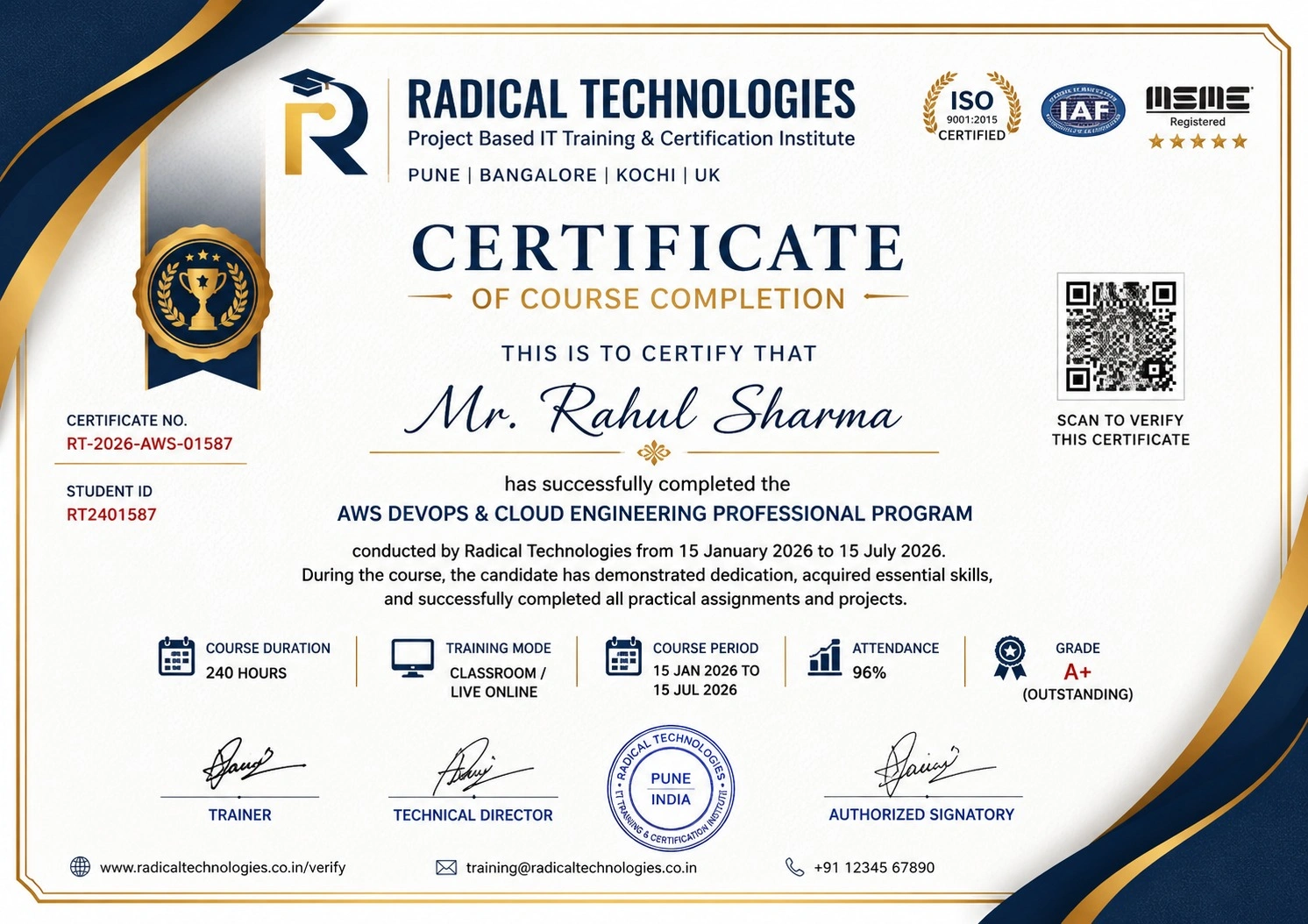
Certificate of Completion

Career Services

At Radical Technologies, we are committed to your success beyond the classroom. Our 100% Job Assistance program ensures that you are not only equipped with industry-relevant skills but also guided through the job placement process. With personalised resume building, interview preparation, and access to our extensive network of hiring partners, we help you take the next step confidently into your IT career.

Career Support

Course Completed? Need next steps?
Need Interview Supports?
Need Job Assistance?
Came from any other Institute?

Join our Brush-up Session & get support until you find a job!

Get Started

Radical Learning Eco-System

Exam Simulator

Cloud SandBox

Hands-on Cloud Lab

Developer Coding Ground

Student Reviews

4.9★
Average learner rating
50K+
Students trained
30+
Hiring companies alumni work at
100%
Placement assistance
4.9
★★★★★

Course Rating

★★★★★
92%
★★★★☆
7%
★★★☆☆
1%
★★☆☆☆
0%
★☆☆☆☆
0%

Our Alumni Work At
Accenture
Amazon
Avisys Services
Birlasoft
Capgemini
Catchpoint
Cognizant
Darwish Cybertech
DataVision
GiBots
Google
Groots Software
HCL Technologies
IBM
Info Gain
Infosys
ITCube Solutions
KPIT
L&T Infotech
Microsoft
Mphasis
mPhatek
Oracle
Quantbit Technologies
Saina Cloud
TCS
Tech Mahindra
Wipro
YASH Technologies
Zensar Technologies
Accenture
Amazon
Avisys Services
Birlasoft
Capgemini
Catchpoint
Cognizant
Darwish Cybertech
DataVision
GiBots
Google
Groots Software
HCL Technologies
IBM
Info Gain
Infosys
ITCube Solutions
KPIT
L&T Infotech
Microsoft
Mphasis
mPhatek
Oracle
Quantbit Technologies
Saina Cloud
TCS
Tech Mahindra
Wipro
YASH Technologies
Zensar Technologies

Python / Ansible / Terraform / Jenkins | Job-Oriented Course Certification with Online Training in Bangalore

These four programs are designed for learners preparing for roles in Python Automation, DevOps Engineering, Infrastructure Automation, Cloud Engineering, and CI/CD. Each syllabus includes technical fundamentals, hands-on labs, assignments, mini projects, a capstone project, real-world job scenarios, troubleshooting, tools, certifications, and mock interviews.

Get a Call Back from Our Career Assistance Team

Request Callback