
SALESFORCE CERTIFIED PLATFORM ADMINISTRATOR
The Salesforce Certified Platform Administrator Training is a practical, beginner-friendly course designed to help you build a strong foundation in Salesforce administration and prepare for the Salesforce Certified Platform Administrator exam. You’ll learn through hands-on practice using a Trailhead Playground or Developer Edition org, covering key Salesforce features, administration tasks, and the role of AI in Salesforce, including the Salesforce–Anthropic collaboration. No prior Salesforce experience is required, making this course suitable for beginners, aspiring Salesforce Administrators, CRM professionals, and IT professionals.
SALESFORCE CERTIFIED PLATFORM ADMINISTRATOR
IT Training Programme
100% placement assistance
Enquire Now
Get course fees, batch dates & a callback
What you'll learn
Programme Overview
14 sections covering the complete curriculum — a single, progressive learning arc.
Foundations & Core Concepts
Get hands-on with the fundamentals and architecture — the building blocks for everything that follows.
Hands-On Practical Training
Work through real exercises and assignments designed to mirror what you will do on the job.
Real-World Projects
Apply what you have learned to end-to-end projects that go straight into your portfolio.
Advanced Techniques
Go beyond the basics with advanced concepts, integrations and production-grade practices.
Ecosystem Integration
Understand how this technology connects with the broader tools and platforms used in the industry.
Performance & Interview Prep
Master optimization techniques and prepare for the technical interview questions employers actually ask.
Who is this programme for?
Whether you're already writing code, working with data, or supporting applications today — this programme is built to take you into a CLOUD COMPUTING - SALESFORCE role.
Software Developers
Engineers who want to add this skill set to their toolkit
Analysts & Consultants
Professionals moving into a more technical, hands-on role
IT Professionals
System admins and support engineers upskilling into a new domain
Fresh Graduates
CS/IT graduates aiming for a job-ready technical role
Course Curriculum
14 sections • 88 lessons • 28 hours
Jump to Section
Total Duration
28 hours
100% Practical · Unlimited Doubt Sessions
01 1. Course Overview
02 2. Prerequisites
Sessions Details
| Module | Module Title | Sessions / Hours |
|---|---|---|
| M0 | Orientation & Platform Foundations | 1 |
| M1 | Configuration & Setup | 4 |
| M2 | Object Manager & Lightning App Builder | 3 |
| M3 | Sales & Marketing Applications | 2 |
| M4 | Service & Support Applications | 2 |
| M5 | Productivity & Collaboration | 2 |
| M6 | Data & Analytics Management | 4 |
| M7 | Automation | 4 |
| M8 | Agentforce | 2 |
| M9 | AI in Salesforce & Claudeforce (Claude + Salesforce) | 2 |
| M10 | Revision & Exam Readiness | 2 |
| Total | 28 |
03 Detailed syllabus
04 Module 0: Orientation & Platform Foundations
Objectives
| Session | Topics Covered | Demo in Trailhead Org |
|---|---|---|
| Session 1 | Salesforce Platform and Clouds; Multitenancy; Release Cycle; Salesforce Admin Role; Exam Format, Blueprint and Weightings | Trailhead Playground Login; Setup Tour; App Launcher; Object Manager |
05 Module 1: Configuration & Setup
Objectives
| Session | Topics Covered | Demo in Trailhead Org |
|---|---|---|
| Session 2 | Company settings: Fiscal Year, Business Hours, Currency Management, Default Settings; Declarative UI: App Menu, List Views, Global Actions | Configure Fiscal Year and Business Hours; Create a List View; Add a Global Action |
| Session 3 | User Management: Unique Username, Locale, Working Hours, Licence Types, Feature Licences, Freeze vs Deactivate, Users with Different Login Methods | Create a User; Assign Licence; Freeze vs Deactivate User |
| Session 4 | Org Security Controls: Identity Verification, Setup Audit Trail, Login Hours, Session Settings; Sharing Basics: Org-Wide Defaults, Role Hierarchy | Set Login Hours; View Audit Trail; Change OWD; Build a Role Hierarchy |
| Session 5 | Sharing Rules, Teams, Public Groups, Folder Sharing; Profiles vs Permission Sets; Permission Set Groups; Muting | Create a Sharing Rule and Public Group; Create a Permission Set Group with Muting; Use Login As to Verify Access |
06 Module 2: Object Manager & Lightning App Builder
Objectives
| Session | Topics Covered | Demo in Trailhead Org |
|---|---|---|
| Session 6 | Standard Object Architecture; Parent/Child Relationships; Lookup, Master-Detail, Junction and Hierarchical Relationships; Schema Builder | Create Custom Objects and Relationships; View Them in Schema Builder |
| Session 7 | Custom Fields; Roll-Up Summaries; Cross-Object Formulas; Picklist Dependencies; Implications of Deleting Fields; Page Layouts; Record Types; Business Processes | Create Fields; Attempt to Delete a Field with Dependencies; Assign Record Types and Page Layouts |
| Session 8 | Lightning App Builder: Record, App and Home Pages; Dynamic Forms; Component Visibility; Quick Actions and Global Actions | Build a Record Page and Custom App; Create a Quick Action |
07 Module 3: Sales & Marketing Applications
Objectives
| Session | Topics Covered | Demo in Trailhead Org |
|---|---|---|
| Session 9 | Leads: Statuses, Web-to-Lead, Lead Assignment Rules, Lead Conversion; Campaigns and Campaign Members | Create a Web-to-Lead Form; Configure an Assignment Rule; Convert a Lead; Add Campaign Members |
| Session 10 | Opportunities: Sales Process, Stages, Path; Sales Productivity: Dashboards, Forecasting; Lead and Opportunity Scoring; Einstein for Sales; Territory Management (Overview, Depends on Org Availability) | Configure Path; Demonstrate Forecasting and Dashboard Features Where Enabled in the Org |
08 Module 4: Service & Support Applications
Objectives
| Session | Topics Covered | Demo in Trailhead Org |
|---|---|---|
| Session 11 | Case Management: Case Lifecycle, Web-to-Case and Email-to-Case (Concept), Queues, Case Assignment Rules | Create a Queue and Case Assignment Rule; Create a Web-to-Case Form |
| Session 12 | Support Process, Case Auto-Response Rules, Escalation Rules, Einstein for Service (Overview) | Create an Auto-Response Rule and Escalation Rule; Omni-Channel (Optional – Overview Only) |
09 Module 5: Productivity & Collaboration
Objectives
| Session | Topics Covered | Demo in Trailhead Org |
|---|---|---|
| Session 13 | Activity Management: Tasks and Events; Chatter: Groups, Group Access, Internal and External Users | Create Tasks and Events; Create a Chatter Group |
| Session 14 | Salesforce Mobile App: Mobile-Ready Lightning Pages, Navigation Menu, Branding, Launchpad; AppExchange and AgentExchange: Managed vs Unmanaged Packages, Who Can Publish | Adjust the Mobile Navigation Menu; Browse AppExchange; Installing an App (Optional) |
10 Module 6: Data & Analytics Management
Objectives
| Session | Topics Covered | Demo in Trailhead Org |
|---|---|---|
| Session 15 | Importing, Updating, Exporting, Transferring, Mass Deleting and Backing Up Data; Data Archival; Import Wizard vs Data Loader | Import Wizard Demo; Export Data; Data Loader (Optional – Requires Desktop Installation) |
| Session 16 | Data Quality: Duplicate Rules, Matching Rules, Validation Rules | Create a Validation Rule; Create Duplicate and Matching Rules |
| Session 17 | Reports and Report Types: Custom Report Types, Joins With or Without Records, Renaming Fields, Buckets, Formulas, Joined Reports, Charts, Hide Details, Grouping Totals; Impact of Sharing Model on Reports and Folders | Create a Custom Report Type; Build a Bucket and Formula Report; Create a Joined Report |
| Session 18 | Dashboards: Widgets, Data Sources, Chart Types and Settings, Subscribe, Dynamic Dashboards, View As, Refresh, Filters, Org Limits; Report and Dashboard Troubleshooting (High Level) | Build a Dashboard; Compare Running User vs Dynamic Dashboard |
11 Module 7: Automation
Objectives
| Session | Topics Covered | Demo in Trailhead Org |
|---|---|---|
| Session 19 | Choosing an Automation Tool: Escalation Rules, Assignment Rules, Default Automation User, Flow, Approvals, AI; Flow Types and Flow Builder Basics | Tour of Flow Builder; Create a Simple Flow |
| Session 20 | Record-Triggered Flows: Before and After Save, Entry Conditions, Order of Execution | Build a Record-Triggered Flow |
| Session 21 | Screen Flows and Autolaunched Flows: Screens, Decisions, Loops, Record Actions, Subflows | Build a Screen Flow |
| Session 22 | Approval Processes: Entry Criteria, Approvers, Rejections, Approvals; Flow Debugging and Fault Handling | Create an Approval Process; Use the Flow Debug Tool |
12 Module 8: Agentforce
Objectives
| Session | Topics Covered | Demo in Trailhead Org |
|---|---|---|
| Session 23 | Agentforce Concepts: Agents, Topics, Instructions, Actions, Channels; When to Use AI; Security; Einstein Trust Layer; Agent Permissions | Explore Agentforce Overview in Setup (Subject to Availability in the Org) |
| Session 24 | Agent Builder: Maintaining and Updating Instructions; Prompts; Conversation Preview; Troubleshooting Agent Permissions | Explore Agent Builder and Conversation Preview Where Agentforce Is Enabled; Otherwise, Explain Concepts |
13 Module 9: AI in Salesforce & Claudeforce (Claude + Salesforce)
Objectives
| Session | Topics Covered | Demo in Trailhead Org |
|---|---|---|
| Session 25 | AI in Salesforce: Predictive, Generative and Agentic AI; How AI Helps Admins, Sales, Service and Marketing Users; Einstein Trust Layer; Data Quality and Permissions; Responsible AI Use | Discussion; Demonstrate Einstein Features Where Enabled in the Org |
| Session 26 | Claudeforce (Announced August 26, 2026): Claude Available in Agentforce as a Reasoning Model, Including Agent Builder; Salesforce in Claude for Sales Teams; Claude in Slack; Salesforce and Anthropic as Customers of Each Other | Concept Session; Live Demos of Claude Features Where Access Is Available |
14 Module 10: Revision & Exam Readiness
Objectives
| Session | Topics Covered | Demo in Trailhead Org |
|---|---|---|
| Session 27 | Revision of Modules 1 to 6 by Exam Domain | Quick Recap in the Org |
| Session 28 | Revision of Modules 7 to 9; Practice Questions and Exam-Day Tips | Discussion |
Applicable to all topics
Tools & Technologies
Every tool listed here is installed, configured and used in a hands-on lab session.
Hands-On Labs
Practical Environment
Industry-Standard Tools
Real-World Setup
Guided Exercises
Skill Building
Sample Datasets
Practice Material
Mini Projects
Applied Practice
Assignments
Mentor Reviewed
Doubt Sessions
Live Support
Resume Building
Career Support
Mock Interviews
Interview Prep
Certification Prep
Global Recognition
Production Practices
Real-World Ready
Best Practices
Industry Standards
You don't just learn SALESFORCE CERTIFIED PLATFORM ADMINISTRATOR. You ship it.
Three major projects, each mirroring how production teams actually work — from guided foundations to a portfolio-ready capstone.
Guided Foundation Project
→Requirement Analysis
→Guided Implementation
→Mentor Review
→Iteration
Apply the fundamentals in a structured, mentor-reviewed project
Take the core concepts from the first half of the curriculum and apply them to a realistic scenario, with guidance and feedback from your mentor at every step.
Applied Practice Project
→Scenario Design
→Independent Build
→Testing & Validation
→Peer Review
Build a more independent project mirroring real production scenarios
Work through a project that combines multiple concepts from the curriculum, closer to how work is actually structured on the job — less hand-holding, more ownership.
Capstone Project
→Planning
→End-to-End Build
→Review & Refinement
→Presentation
Take a project from requirements to a polished, portfolio-ready deliverable
Your final project — plan, build, test and present a complete solution using everything covered in the curriculum, reviewed by mentors before you graduate.
All 3 projects go directly into your portfolio & resume — reviewed by mentors before you graduate.
See Sample Project ReportsUpcoming Batches
Why Radical Technologies
- Highly practical oriented training
- Installation support on your system
- 24/7 Email and Phone support
- 100% Placement Assistance
- Global Certification Preparation
- Trainer-Student Interactive Portal
- Assignments and Projects by Mentors
- Weekend / Weekdays / Morning / Evening batches
- 80:20 Practical and Theory ratio
- Real-life Case Studies
- Easy make-up for missed sessions
- PSI | Kryterion | Redhat Test Centers
- Lifetime Video Classroom Access (coming soon)
- Resume Prep and Mock Interviews
- Learn 300+ courses at your own time
- 50,000+ Satisfied Learners
- Course Completion Certificate
- Practical Labs available
- Mentor Support available
- Doubt Clearing Session available
- 10% Discounted Global Certification
Like the Curriculum? Let's Get Started
Join 50,000+ students already enrolled at Radical Technologies
Global Certification
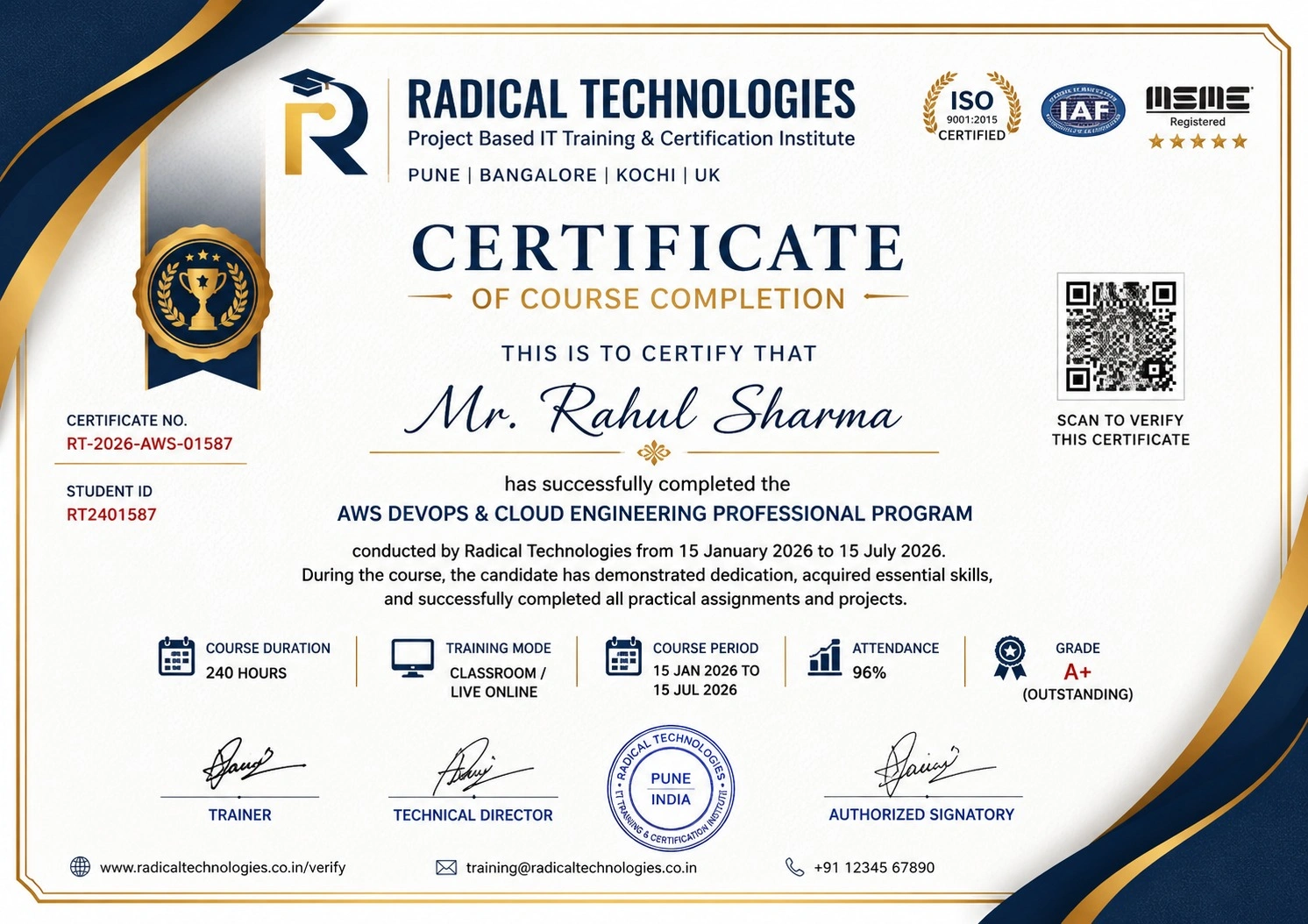
Radical Technologies is the leading IT certification institute in Bangalore, offering globally recognized certifications across various domains. With expert trainers and comprehensive materials, we ensure students gain in-depth knowledge and hands-on experience to excel in their careers. Our certification programs are tailored to meet industry standards — from cloud technologies to data science — empowering individuals to stay ahead in the ever-evolving tech landscape.
Career Services
At Radical Technologies, we are committed to your success beyond the classroom. Our 100% Job Assistance program ensures that you are not only equipped with industry-relevant skills but also guided through the job placement process. With personalised resume building, interview preparation, and access to our extensive network of hiring partners, we help you take the next step confidently into your IT career.
Career Support
Join our Brush-up Session & get support until you find a job!
Get StartedRadical Learning Eco-System
Exam Simulator
Cloud SandBox
Hands-on Cloud Lab
Developer Coding Ground
Student Reviews
Course Rating



Our Alumni Work At














Salesforce Platform Administrator Course Certification With Training In Bangalore
Related Courses


SALESFORCE CERTIFIED PLATFORM ADMINISTRATOR Course In Other Cities
Online Batches Available For These Areas
Ambegaon Budruk | Aundh | Baner | Bavdhan Khurd | Bavdhan Budruk | Balewadi | Shivajinagar | Bibvewadi | Bhugaon | Bhukum | Dhankawadi | Dhanori | Dhayari | Erandwane | Fursungi | Ghorpadi | Hadapsar | Hingne Khurd | Karve Nagar | Kalas | Katraj | Khadki | Kharadi | Kondhwa | Koregaon Park | Kothrud | Lohagaon | Manjri | Markal | Mohammed Wadi | Mundhwa | Nanded | Parvati Hill | Panmala | Pashan | Pirangut | Shivane | Sus | Undri | Vishrantwadi | Vitthalwadi | Vadgaon Khurd | Vadgaon Budruk | Vadgaon Sheri | Wagholi | Wanwadi | Warje | Yerwada | Akurdi | Bhosari | Chakan | Charholi Budruk | Chikhli | Chimbali | Chinchwad | Dapodi | Dehu Road | Dighi | Dudulgaon | Hinjawadi | Kalewadi | Kasarwadi | Maan | Moshi | Phugewadi | Pimple Gurav | Pimple Nilakh | Pimple Saudagar | Pimpri | Ravet | Rahatani | Sangvi | Talawade | Tathawade | Thergaon | Wakad
SALESFORCE CERTIFIED PLATFORM ADMINISTRATOR
IT Training Programme
100% placement assistance