0
+
Google Reviews
0
+
5.0 (2188 Ratings)
Data Analytics combo typically refers to the strategic combination of various data analytics tools, techniques, and technologies to derive valuable insights and make informed decisions from data. Data analytics involves the systematic analysis of data to uncover patterns, trends, and actionable insights.A Data Analytics combo involves using the appropriate combination of these methods and tools to extract valuable insights from data, whether it’s for business intelligence, marketing analysis, scientific research, or any other domain
Curriculum Designed by Experts
⏱ Duration: 60 to 80 Hours
🎯 Outcome: Job-ready Data Analyst / BI Analyst
ROADMAP (Learning Journey)
FOUNDATION
↓
Excel Basics → Advanced Excel → Dashboards
↓
SQL Basics → Joins → Advanced SQL → Real Queries
↓
Python Basics → Pandas → EDA → Visualization
↓
Power BI Basics → Data Modeling → DAX → Dashboards
↓
END-TO-END PROJECTS
↓
JOB PREPARATION (Resume + Interview + Case Studies)
⏱ Duration: 6–10 Hours
🎯 Outcome: Strong conceptual understanding of Data Analytics
ROADMAP (Learning Journey)
What is Data?
↓
Types of Data
↓
Data Analytics Concepts
↓
Data Lifecycle
↓
Business Understanding
↓
Basic Statistics
↓
Tools Overview
↓
Case Studies & Problem Solving
Topics
What is Data?
Types of Data:
Structured
Unstructured
Semi-structured
What is Data Analytics
Importance of data in business
📌 Assignment
Identify types of data used in:
Banking
Retail
Healthcare
Topics
Descriptive Analytics (What happened?)
Diagnostic Analytics (Why it happened?)
Predictive Analytics (What will happen?)Prescriptive Analytics (What should be done?)
💼 Job Scenario
Analyze why sales dropped in a company
Topics
Data Collection
Data Cleaning
Data Processing
Data Analysis
Data Visualization
Decision Making
📌 Assignment
Map lifecycle for a real-world example
Topics
Business problems vs technical problems
Performance Indicators)
Metrics:
Revenue
Profit
Customer retention
💼 Job Scenario
Define KPIs for a retail company
Topics
Mean, Median, Mode
Variance & Standard Deviation
Correlation
Distribution basics
🧪 Lab
Calculate statistics using sample data
📌 Assignment
Analyze dataset using statistical measures
Topics
Breaking business problems
Logical thinking
Data-driven decision making
💼 Job Scenario
Identify reasons for customer churn
Topics
Excel (data cleaning & reporting)
SQL (data extraction)
Python (data analysis)
Power BI (visualization)👉 No deep learning here—just awareness
Mini Project – Sales Data Analysis (Conceptual)
Tasks
Identify trends
Define KPIs
Suggest business improvements
Why sales decreased last quarter?
Which product generates highest revenue?
Why customers are leaving?
Which region performs best?
Identify data types
Define KPIs
Solve business case
Perform basic statistical analysis
⏱ Duration: 15–20 Hours
🎯 Outcome: Data Analyst / Reporting Analyst
🧭 📌 ROADMAP
Excel Basics
↓
Data Cleaning & Formatting
↓
Functions & Formulas
↓
Lookup & Data Analysis
↓
Pivot Tables & Charts
↓
Power Query (ETL)
↓
Dashboards & Automation
↓
Projects + Job Scenarios
Topics
Excel interface & shortcuts
Data types & formatting
Sorting & filtering
🧪 Lab
Format raw dataset
Assignment
Clean and organize data
Topics
Remove duplicates
Text to Columns
Flash Fill
Data validation
Handling missing data
🧪 Lab
Clean messy dataset
📌 Assignment
Prepare dataset for analysis
💼 Job Scenario
Clean customer data received from CRM
Logical Functions
IF, nested IF
AND, OR
Lookup Functions
VLOOKUP, HLOOKUP
INDEX + MATCH (very important)
XLOOKUP
Text Functions
LEFT, RIGHT, MID
CONCAT, LEN
Date Functions
TODAY, NOW
DATEDIF
Statistical Functions
COUNT, COUNTA
SUMIF, COUNTIF
🧪 Lab
Apply formulas on datasets
📌 Assignment
Build formula-based report
💼 Job Scenario
Generate KPI report using formulas

Topics
Conditional formatting
Data analysis techniques
What-if analysis
Goal Seek & Scenario Manager
🧪 Lab
Highlight trends
📌 Assignment
Analyze sales performance
Topics
Create pivot tables
Grouping & filtering
Calculated fields
Pivot charts
🧪 Lab
Build pivot reports
📌 Assignment
Sales summary using pivot tables
💼 Job Scenario
Generate monthly business report
Topics
Import data from multiple sources
Data transformation
Merge & append queries
🧪 Lab
Combine multiple datasets
📌 Assignment
Create ETL workflow in Excel
Topics
KPI dashboards
Slicers & timelines
Charts (bar, line, pie)
Interactive dashboards
🧪 Lab
Build dashboard
📌 Assignment
Create executive dashboard
💼 Job Scenario
Design dashboard for managementTopics
KPI dashboards
Slicers & timelines
Charts (bar, line, pie)
Interactive dashboards
🧪 Lab
Build dashboard
📌 Assignment
Create executive dashboard
💼 Job Scenario
Design dashboard for management
Project 1 – Sales Dashboard
Features
Revenue trends
Region-wise analysis
KPI tracking
Project 2 – Customer Data Analysis
Features
Customer segmentation
Purchase trends
Project 3 – Financial Reporting System
Features
Profit & loss analysis
Expense tracking
REAL-TIME JOB SCENARIOS
Clean messy data from Excel sheets
Generate reports using formulas
Create dashboards for management
Analyze sales and revenue trends
Automate repetitive tasks
ASSIGNMENTS STRUCTURE
Data cleaning assignment
Formula-based reporting
Pivot table analysis
Dashboard creation
Case study (Retail / Finance)
Important Topics
VLOOKUP vs INDEX MATCH
Pivot tables
Conditional formatting
Data cleaning techniques
⏱ Duration: 15 Hours🎯 Outcome: Job-ready SQL Data Analyst
🧭 📌 LEARNING ROADMAP
SQL Basics
↓
Filtering & Sorting
↓
Joins & Relationships
↓
Aggregation & Grouping
↓
Subqueries
↓
Advanced SQL (Window Functions, CTE)
↓
Real-Time Data Analysis
↓
Projects & Case Studies
Topics
What is Database & RDBMS Tables, Rows, Columns Primary Key, Foreign Key Introduction to SQL
Commands
SELECT
DISTINCT
Lab
Retrieve data from sample tables
📌 Assignment
Display all records from customer table
Topics
WHERE clause
AND, OR, NOT
BETWEEN, IN, LIKE
ORDER BY
🧪 Lab
Filter customer and sales data
📌 Assignment
Find customers from specific city
💼 Job Scenario
Extract region-based sales data
Topics
INNER JOIN
LEFT JOIN
RIGHT JOIN
FULL JOIN
Self Join
🧪 Lab
Combine multiple tables📌 Assignment
Join customer and order tables
💼 Job Scenario
Analyze customer purchase behavior
Topics
COUNT, SUM, AVG, MIN, MAX
GROUP BY
HAVING
🧪 Lab
Generate summary reports📌 Assignment
Total sales by region
💼 Job Scenario
Identify top-performing products
Topics
Subqueries (Single-row, Multi-row)
Correlated subqueries
🧪 Lab
Write nested queries
📌 Assignment
Find customers with highest orders
Topics
Window Functions:
RANK()
DENSE_RANK()
ROW_NUMBER()
CTE (Common Table Expressions)
CASE Statements
Views
🧪 Lab
Ranking and analytics queries
📌 Assignment
Top 5 customers by revenue
Job Scenario
Sales trend and ranking analysis
Topics
Writing business queries
Data extraction for dashboards
KPI calculations
💼 Real-Time Scenarios
Customer churn analysis
Sales trend analysis
Revenue forecasting
Project 1 – Sales Data Analysis
Tasks
Total revenue
Top products
Monthly trends
Project 2 – Customer Insights
Tasks
Top customers
Customer segmentation
Purchase patterns
Project 3 – Retail Business Case Study
Tasks
Inventory analysis
Profitability analysis
Region-wise sales
Write 20 SQL queries for business scenarios
Create joins across 3 tables
Perform aggregation analysis
Solve real-time case studies
Find top 10 customers by revenue
Identify low-performing products
Analyze monthly sales growth
Detect duplicate records
Generate management reports
⏱ Duration: 15 – 20 Hours
🎯 Outcome: Data Analyst / Junior Data Scientist
🧭 📌 LEARNING ROADMAP
Python Basics
↓
Data Structures
↓
NumPy (Numerical Analysis)
↓
Pandas (Data Analysis)

↓
Data Cleaning & Transformation
↓
EDA (Exploratory Data Analysis)
↓
Data Visualization
↓
Real-Time Case Studies

↓
Capstone Projects + Interview Prep
Topics
Introduction to Python
Installation & Setup (Jupyter Notebook)
Variables & Data Types
Operators
Control Statements (if, loops) Functions
🧪 Lab
Write basic programs
📌 Assignment
Create a simple calculator
Find even/odd numbers
💼 Job Scenario
Automate small data processing tasks
Topics
Lists
Tuples
Sets
Dictionaries
🧪 Lab
Work with collections
📌 Assignment
Store and manipulate customer data
Topics
Arrays
Array operations
Mathematical functions
🧪 Lab
Perform numerical operations
📌 Assignment
Analyze numerical dataset
Topics
Series & DataFrames
Reading data (CSV, Excel)
Data selection & filtering
Data cleaning:
Handling null values
Removing duplicates
Data transformation
🧪 Labs
Load and clean datasets
📌 Assignment
Clean messy sales dataset
💼 Job Scenario
Prepare raw business data for reporting
Topics
Descriptive statistics
Grouping & aggregation
Correlation analysis
Feature engineering basics
🧪 Lab
Perform EDA
📌 Assignment
Analyze customer data
💼 Job Scenario
Identify trends in sales/customer data
Tools
Matplotlib
Seaborn
Topics
Bar charts, line charts
Histograms
Heatmaps
🧪 Lab
Create visualizations
📌 Assignment
Visualize business KPIs
💼 Job Scenario
Present insights to stakeholders
Topics
Working with APIs
Basic automation scripts
Intro to machine learning (optional)
🧪 Lab
Fetch data from API
Topics
Data extraction
Data cleaning
Data analysis
Visualization
Project 1 – Sales Data Analysis
Features
Revenue trends
Product performance
Monthly analysis
👉 Tools: Pandas + Visualization
Project 2 – Customer Segmentation Analysis
Features
Customer grouping
Purchase patterns
Insights generatio
👉 Tools: Pandas + EDA
Project 3 – Retail Data Analytics System
Features
Data cleaning
Analysis
Visualization
👉 Tools: Python End-to-End
Project 4 – Real-Time Business Case Study
Features
KPI analysis
Business insights
Decision-making
Clean messy datasets
Analyze sales trends
Identify top customers
Automate reports using Python
Perform customer segmentation
Generate business insights
Python basics problems
Pandas data cleaning tasks
EDA assignment
Visualization assignment
Case study analysis
⏱ Duration: 30 Hours🎯 Outcome: Power BI Developer / Data Analyst
🧭 📌 LEARNING ROADMAP
Power BI Basics
↓
Data Loading (Excel/SQL)
↓
Power Query (Data Cleaning)
↓
Data Modeling (Relationships)
↓
DAX (Basic → Advanced)
↓
Visualization & Dashboarding
↓
Advanced Features (RLS, Optimization)
↓
Deployment (Power BI Service)
↓
Capstone Projects + Interview Prep
Topics
BI Concepts & Importance
Power BI Ecosystem:
Desktop
Service
Mobile
Installation & Interface Overview
🧪 Lab
Install Power BI & explore UI
Assignment
Identify 5 business dashboards used in industry
Data Sources
Excel, CSV, SQL Server, Web
Data Cleaning
Remove duplicates
Handle missing values
Change data types
Data Transformation
Merge queries
Append queries
Pivot / Unpivot
🧪 LABS
Clean messy dataset
Combine multiple files
📌 ASSIGNMENT
Prepare cleaned dataset for reporting
💼 JOB SCENARIO
Combine sales data from multiple branches
Topics
Relationships (1:M, M:M)
Star Schema (very important for interviews)
Fact vs Dimension tables
Cardinality & cross-filter direction
🧪 LAB
Create star schema model
📌 ASSIGNMENT
Design data model for retail business
💼 JOB SCENARIO
Build enterprise-level reporting model
Basics
Calculated Columns vs Measures
SUM, COUNT, AVERAGE
Intermediate
IF, SWITCH
FILTER, CALCULATE
Advanced (Very Important)
Time Intelligence:
YTD, MTD, YoY
ALL, ALLEXCEPT
Context (Row vs Filter Context)
🧪 LABS
Create KPIs
Build dynamic calculations
📌 ASSIGNMENT
Revenue growth & comparison metrics
💼 JOB SCENARIO
Create business KPIs for management dashboards
Topics
Charts:
Bar, Line, Area
Table, Matrix
KPI Cards
Slicers & Filters
Drill-down / Drill-through
Tooltip & bookmarks
🧪 LABS
Build interactive dashboard
📌 ASSIGNMENT
Create executive dashboard
💼 JOB SCENARIO
Design dashboard for CXO-level reporting
Topics
Row-Level Security (RLS)
Performance optimization
Query reduction techniques
Custom visuals
🧪 LAB
Implement RLS
📌 ASSIGNMENT
Optimize slow dashboard
Topics
Publishing reports
Workspace management
Dashboard sharing
Scheduled refresh
🧪 LAB
Publish report & share
Topics
SQL → Data extraction
Power Query → Cleaning
Power BI → Visualization
Storytelling
Capstone Projects (very Important)
Tools
Excel + Power BI
Features
Revenue trends
Region-wise performance
KPI tracking
👉 Outcome: Business decision dashboard
Tools
Power BI
Features
Profit & loss analysis
Budget vs actual
Expense tracking
👉 Outcome: CFO-level dashboard
Tools
Power BI
Features
Employee attrition
Hiring trends
Department performance👉 Outcome: HR decision dashboard
Tools
SQL + Power BI
Features
Data extraction
Data modeling
Dashboard
👉 Outcome: Complete BI solution
Build dashboards for management reporting
Analyze sales and revenue trends
Create KPIs for business decisions
Handle messy data from multiple sources
Implement security for different users
Optimize slow dashboards
Data cleaning assignment (Power Query)
Data modeling assignment
DAX calculations assignment
Dashboard design assignment
Case study: Retail / Finance
Resume Preparation
ATS-friendly resume
Project description
Portfolio
GitHub / Power BI portfolio
Interview Preparation
DAX interview questions
Scenario-based questions
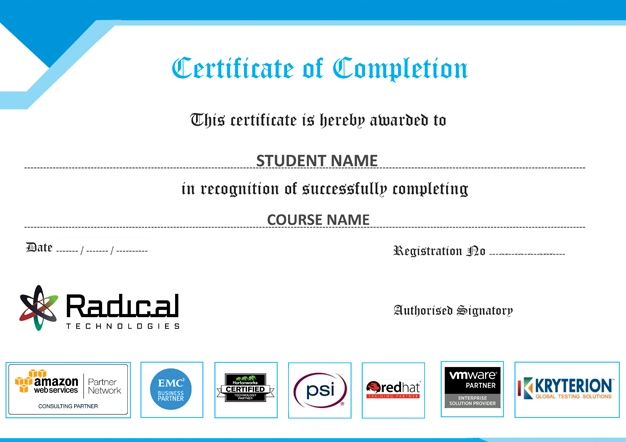
Radical Technologies is the leading IT certification institute in Bangalore, offering a wide range of globally recognized certifications across various domains. With expert trainers and comprehensive course materials, it ensures that students gain in-depth knowledge and hands-on experience to excel in their careers. The institute’s certification programs are tailored to meet industry standards, helping professionals enhance their skillsets and boost their career prospects. From cloud technologies to data science, Radical Technologies covers it all, empowering individuals to stay ahead in the ever-evolving tech landscape. Achieve your professional goals with certifications that matter.
At Radical Technologies, we are committed to your success beyond the classroom. Our 100% Job Assistance program ensures that you are not only equipped with industry-relevant skills but also guided through the job placement process. With personalized resume building, interview preparation, and access to our extensive network of hiring partners, we help you take the next step confidently into your IT career. Join us and let your journey to a successful future begin with the right support.
At Radical Technologies, we ensure you’re ready to shine in any interview. Our comprehensive Interview Preparation program includes mock interviews, expert feedback, and tailored coaching sessions to build your confidence. Learn how to effectively communicate your skills, handle technical questions, and make a lasting impression on potential employers. With our guidance, you’ll walk into your interviews prepared and poised for success.
At Radical Technologies, we believe that a strong professional profile is key to standing out in the competitive IT industry. Our Profile Building services are designed to highlight your unique skills and experiences, crafting a resume and LinkedIn profile that resonate with employers. From tailored advice on showcasing your strengths to tips on optimizing your online presence, we provide the tools you need to make a lasting impression. Let us help you build a profile that opens doors to your dream career.
Basavanagudi | HSR Layout | Sadashivanagar | Jayanagar | Koramangala | Whitefield | Banashankari | Marathahalli | BTM Layout | Electronic City | Rajajinagar | Domlur | Indiranagar | Malleshwaram | Yelahanka | Cooke Town | Nagarbhavi | Bannerghatta Road | Chandapura | Dasarahalli | Devanahalli | Anandnagar | Avenue Road | Byatarayanapura
At Radical Technologies, we are committed to providing world-class Azure Data Engineer Training in Bangalore, helping aspiring data professionals master the skills needed to excel in the rapidly growing field of cloud data engineering. As the leading institute for Azure Data Engineer Course In Bangalore, we offer comprehensive, hands-on training designed to meet the demands of today’s data-driven organizations.
Our Azure Data Engineer Training Bangalore program covers every aspect of the Azure Data Engineer Syllabus, ensuring that students receive in-depth knowledge of data architecture, data processing, and data storage on Microsoft Azure. Whether you prefer attending classes in-person or via Azure Data Engineer Online Training, Radical Technologies provides flexible learning options to suit your needs.
Our Azure Data Engineering Training is renowned for its practical, real-world approach. Students have access to an industry-leading Azure Data Engineer Bootcamp, which combines theory and hands-on labs to ensure they are fully prepared for their certification exams. The Microsoft Azure Data Engineer Training is tailored to cover all key topics, from data integration to security, and is led by experienced professionals who are experts in their field.
For professionals and organizations seeking Azure Data Engineering Corporate Training, we offer tailored courses that address specific business needs. Our Azure Data Engineering Corporate Training Course ensures that teams gain practical experience in building scalable, secure, and efficient data solutions on Azure.
At Radical Technologies, our Azure Data Engineer Courses are structured to ensure that both beginners and experienced professionals alike can enhance their knowledge. The Azure Data Engineer Certification Training offered here equips students with the skills and credentials needed to stand out in a competitive job market.
Our institute also offers the Azure Data Engineer Full Course, which provides a comprehensive pathway for mastering Azure Data Engineering concepts and techniques. We take pride in being one of the top Azure Data Engineer Institutes in Bangalore, with a proven track record of helping students achieve their Azure Data Engineering Certification.
Whether you are looking for Azure Data Engineer Training Online or prefer our in-person classes in Bangalore, Radical Technologies is your trusted partner for career advancement in data engineering. Join us today to enroll in the Best Azure Data Engineer Course and kick-start your journey towards becoming a certified data engineer.
(Our Team will call you to discuss the Fees)