Radical Technologies
IT SECURITY
★★★★★
(2,095 ratings)  50,000+ Student

SC-900 + SC-200

SC-900 + SC-200 Training helps you build practical Microsoft security skills, from security and identity fundamentals to real-world SOC operations. Learn Microsoft Entra ID, Defender, Sentinel, KQL, threat detection, incident response, threat hunting, and security automation through hands-on training. Ideal for cybersecurity beginners, SOC analysts, IT professionals, cloud professionals, and security teams looking to strengthen their Microsoft security skills.

RT
Radical Technologies
50,000+ English 50 hours Weekdays / Weekends Classroom / Online / Corporate
Online / Classroom

SC-900 + SC-200

IT Training Programme

Duration 50 hours
Batch Type Weekdays / Weekends
Mode of Training Classroom / Online / Corporate
Locations Pune, Bangalore, Kochi
Language English
Certification Globally Recognized
Call Now

100% placement assistance

Enquire Now

Get course fees, batch dates & a callback

We never share your details.

What you'll learn

Understand core concepts and architecture from the ground up
Get hands-on with the tools used by working professionals
Build real-world projects you can add to your portfolio
Learn industry best practices and coding standards
Practice with real datasets and real-world scenarios
Prepare for certification and technical interviews
Work on collaborative, team-based exercises
Apply performance tuning and optimization techniques
Understand how the technology fits into a larger ecosystem
Complete assignments reviewed by mentors

Programme Overview

28 sections covering the complete curriculum — a single, progressive learning arc.

50 hours
Training Duration
28
Core Modules
518
Total Lessons
4.8★
Average Rating
50K+
Students Trained
01

Foundations & Core Concepts

Get hands-on with the fundamentals and architecture — the building blocks for everything that follows.

Fundamentals Architecture Setup
02

Hands-On Practical Training

Work through real exercises and assignments designed to mirror what you will do on the job.

Practicals Assignments Labs
03

Real-World Projects

Apply what you have learned to end-to-end projects that go straight into your portfolio.

Projects Portfolio Case Studies
04

Advanced Techniques

Go beyond the basics with advanced concepts, integrations and production-grade practices.

Advanced Integration Best Practices
05

Ecosystem Integration

Understand how this technology connects with the broader tools and platforms used in the industry.

Ecosystem Tools Platforms
06

Performance & Interview Prep

Master optimization techniques and prepare for the technical interview questions employers actually ask.

Optimization Interview Prep Certification

Who is this programme for?

Whether you're already writing code, working with data, or supporting applications today — this programme is built to take you into a IT SECURITY role.

Software Developers

Engineers who want to add this skill set to their toolkit

Analysts & Consultants

Professionals moving into a more technical, hands-on role

IT Professionals

System admins and support engineers upskilling into a new domain

Fresh Graduates

CS/IT graduates aiming for a job-ready technical role

Course Curriculum

28 sections  •  518 lessons  •  50 hours

01 1. Course Overview
This SC-900 + SC-200 combined program takes learners from security fundamentals to advanced security operations and SOC analyst capabilities.

The program covers:

• Microsoft Security, Compliance, and Identity fundamentals
• Microsoft Entra ID
• Microsoft Defender XDR
• Microsoft Defender for Endpoint
• Microsoft Defender for Office 365
• Microsoft Defender for Cloud
• Microsoft Sentinel SIEM
• KQL (Kusto Query Language)
• Threat detection and investigation
• Incident response
• Threat hunting
• Security analytics
• Automation and SOAR
• Microsoft Purview and compliance fundamentals
• Identity and access security
• Security monitoring
• Real-world SOC workflows
• GenAI/AI-assisted security operations
The training emphasizes hands-on SOC operations rather than only exam preparation.
02 2. Prerequisites

Recommended

• Basic understanding of Windows and operating systems
• Basic networking concepts
• Basic understanding of cloud computing
• Familiarity with Microsoft 365 is helpful but not mandatory
• Basic cybersecurity awareness
• Logical thinking and troubleshooting skills

Programming

No advanced programming required.

Basic scripting concepts and KQL will be introduced during the course.
03 3. Fundamentals

Cybersecurity Fundamentals

• CIA Triad
• Authentication vs Authorization
• Identity and Access Management
• Least Privilege
• Zero Trust Security
• Defense in Depth
• Threat, Vulnerability, Risk and Exposure
• Security Controls
• Security Policies
• Security Operations Center
• SOC roles and responsibilities
• Security monitoring fundamentals
• Incident response lifecycle

Cloud Security Fundamentals

• Cloud computing concepts
• Shared Responsibility Model
• SaaS, PaaS and IaaS
• Cloud identity
• Cloud security controls
• Cloud security monitoring
• Microsoft cloud security architecture
04 4. SC-900 — Microsoft Security, Compliance & Identity Fundamentals

Module 1 — Microsoft Security Fundamentals

• Microsoft security ecosystem
• Security, compliance and identity concepts
• Microsoft Security solutions
• Microsoft security architecture
• Microsoft Secure Future Initiative
• Zero Trust principles
• Defense-in-depth approach

Module 2 — Microsoft Entra

• Microsoft Entra ID fundamentals
• Users and groups
• Domains
• Tenants
• Authentication
• Authorization
• Identity lifecycle
• Self-Service Password Reset
• Multi-Factor Authentication
• Conditional Access fundamentals
• Identity Protection
• Privileged Identity Management
• Application identities
• Managed identities
• Microsoft Entra Connect concepts
• Hybrid identity
• Identity Governance fundamentals

Module 3 — Microsoft Security Solutions

Microsoft Defender

• Microsoft Defender overview
• Defender XDR
• Defender for Endpoint
• Defender for Office 365
• Defender for Identity
• Defender for Cloud Apps
• Microsoft Defender for Cloud

Microsoft Sentinel

• SIEM fundamentals
• Microsoft Sentinel overview
• Security analytics
• Data collection
• Detection
• Investigation
• Automation
05 5. SC-900 — Microsoft Compliance Solutions

Microsoft Purview

• Microsoft Purview overview
• Compliance Manager
• Data classification
• Sensitivity labels
• Retention labels
• Data Loss Prevention
• Insider Risk Management
• eDiscovery
• Audit
• Information Protection
• Records Management

Microsoft Service Trust Portal

• Compliance concepts
• Microsoft compliance offerings
• Trust documentation
• Regulatory requirements
• Compliance responsibilities
06 6. SC-200 — Security Operations Analyst

Module 1 — Security Operations Fundamentals

• SOC architecture
• SOC analyst responsibilities
• Security monitoring
• Threat detection
• Alert management
• Incident management
• Investigation lifecycle
• Threat intelligence
• Security telemetry
• Indicators of Compromise
• Indicators of Attack
• MITRE ATT&CK fundamentals
07 7. Microsoft Sentinel — Core Technical Topics

Sentinel Architecture

• Microsoft Sentinel overview
• Sentinel workspace
• Log Analytics Workspace
• Data connectors
• Analytics rules
• Incidents
• Workbooks
• Hunting queries
• Automation rules
• Playbooks

Data Collection

• Microsoft 365 data
• Entra ID logs
• Windows security events
• Azure activity logs
• Defender data
• Firewall logs
• Network logs
• Syslog
• CEF
• Custom log sources
08 8. KQL — Kusto Query Language

KQL Fundamentals

• KQL syntax
• Tables
• Columns
• Filtering
• Sorting
• Projection
• Aggregation
• Summarization
• Grouping
• Joins
• Parsing
• String manipulation
• Date/time operations
• Variables
• Functions

Security KQL

• SecurityEvent
• SigninLogs
• AuditLogs
• DeviceEvents
• DeviceProcessEvents
• DeviceNetworkEvents
• DeviceFileEvents
• CommonSecurityLog
• OfficeActivity

Advanced KQL

• Time-series analysis
• Dynamic data
• JSON parsing
• Watchlists
• Functions
• Query optimization
• Hunting queries
• Detection queries
09 9. Microsoft Defender XDR

Defender XDR

• Defender XDR architecture
• Incidents
• Alerts
• Advanced Hunting
• Device inventory
• Identity incidents
• Email threats
• Cloud application threats
• Cross-domain investigation

Defender for Endpoint

• Endpoint security
• Device onboarding
• Device inventory
• Endpoint alerts
• Vulnerability management
• Attack Surface Reduction
• Endpoint detection and response
• Automated investigation
• Device isolation
• Live Response
• Threat remediation
10 10. Defender for Office 365
• Email security
• Phishing protection
• Malware protection
• Safe Links
• Safe Attachments
• Anti-phishing policies
• Email investigation
• Threat Explorer
• Campaign investigation
• Quarantine
• Compromised user investigation
11 11. Microsoft Defender for Identity
• Identity-based attacks
• Domain Controller monitoring
• Suspicious authentication
• Credential theft
• Pass-the-Hash
• Pass-the-Ticket
• Lateral movement
• Reconnaissance
• Identity alerts
• Investigation techniques
12 12. Microsoft Defender for Cloud
• Cloud security posture
• Secure Score
• Recommendations
• Cloud workload protection
• Security alerts
• Vulnerability assessment
• Defender plans
• Cloud security monitoring
• Multi-cloud security concepts
13 13. Threat Detection & Investigation
• Alert triage
• Alert prioritization
• Incident correlation
• Investigation trees
• Attack timelines
• Entity investigation
• User investigation
• Device investigation
• IP investigation
• Domain investigation
• Hash investigation
• URL investigation
• Threat intelligence enrichment
14 14. Threat Hunting
• Threat hunting methodology
• Hypothesis-driven hunting
• IOC hunting
• Behavioral hunting
• MITRE ATT&CK mapping
• Advanced Hunting
• KQL hunting
• Suspicious PowerShell detection
• Credential theft detection
• Lateral movement detection
• Persistence detection
• Command-and-control detection
15 15. Incident Response
• Incident lifecycle
• Preparation
• Identification
• Containment
• Eradication
• Recovery
• Lessons learned
• Incident severity classification
• Evidence collection
• Investigation documentation
• Escalation procedures
• SOC handoff procedures
16 16. Automation & SOAR
• Sentinel automation rules
• Logic Apps
• Playbooks
• Automated incident response
• Automated enrichment
• IOC blocking
• User account response
• Ticket creation
• Notification workflows
• Threat intelligence automation
17 17. Hands-On Labs

SC-900 Labs

1. Create Microsoft Entra Users
2. Create Security Groups
3. Configure MFA
4. Explore Conditional Access
5. Configure Identity Protection
6. Explore Microsoft Defender Portal
7. Explore Microsoft Purview
8. Configure Sensitivity Labels
9. Explore Compliance Manager
10. Explore Microsoft Sentinel
SC-200 Labs
11. Create a Microsoft Sentinel Workspace
12. Connect Microsoft Entra ID Logs
13. Connect Microsoft Defender XDR
14. Configure Data Connectors
15. Create Analytics Rules
16. Investigate Sentinel Incidents
17. Build Sentinel Workbooks
18. Write Basic KQL Queries
19. Write Advanced KQL Queries
20. Build Threat Hunting Queries
21. Investigate Windows Security Events
22. Investigate Suspicious Sign-ins
23. Investigate Malware Alerts
24. Investigate Phishing Incidents
25. Investigate Endpoint Attacks
26. Perform Device Investigation
27. Perform User Investigation
28. Use Defender Advanced Hunting
29. Perform Device Isolation
30. Configure Sentinel Automation
31. Create a Logic Apps Playbook
32. Automate IOC Investigation
33. Investigate Identity Attacks
34. Perform Threat Intelligence Investigation
35. Conduct MITRE ATT&CK-based Hunting
18 18. Assignments
1. Microsoft Security Architecture Analysis
2. Build a Zero Trust Security Model
3. Create an Entra Identity Management Plan
4. Design an MFA Strategy
5. Create Conditional Access Policies
6. Analyze Entra Sign-in Logs
7. Analyze Risky Users
8. Design a Microsoft Defender Architecture
9. Create a Sentinel Deployment Plan
10. Design a SOC Monitoring Strategy
11. Write 20 Basic KQL Queries
12. Write 20 Intermediate KQL Queries
13. Write Security Detection Queries
14. Investigate Suspicious Authentication
15. Analyze Windows Security Events
16. Investigate PowerShell Activity
17. Analyze Endpoint Alerts
18. Investigate Phishing Emails
19. Build a Threat Hunting Hypothesis
20. Map Attacks to MITRE ATT&CK
21. Design an Incident Response Workflow
22. Create an Automated Response Plan
23. Build a Sentinel Workbook
24. Design a SOC Escalation Matrix
25. Prepare an Incident Investigation Report
19 19. Mini Projects

Mini Project 1 — SOC Monitoring Dashboard

Build a Microsoft Sentinel dashboard for monitoring:

• Authentication
• Failed logins
• Suspicious users
• Security alerts
• Endpoint activity

Mini Project 2 — Phishing Investigation

Investigate a simulated phishing attack using:

• Defender for Office 365
• Defender XDR
• Threat Explorer
• Sentinel
• KQL

Mini Project 3 — Suspicious Login Investigation

Detect and investigate:

• Impossible travel
• Multiple failed logins
• Risky sign-ins
• Unusual locations
• Suspicious IP addresses

Mini Project 4 — Endpoint Malware Investigation

Investigate a compromised endpoint and perform:

• Alert triage
• Process investigation
• Network investigation
• Device isolation
• Remediation

Mini Project 5 — Threat Hunting

Perform proactive hunting for:

• PowerShell attacks
• Credential theft
• Persistence
• Lateral movement
• Command-and-control activity

Mini Project 6 — Automated SOC Response

Create an automated Sentinel workflow for:

Alert → Incident → Enrichment → Notification → Response
20 20. Capstone Projects

Capstone Project 1 — Enterprise SOC Implementation

Design and implement a complete Microsoft-based SOC environment covering:

• Microsoft Entra ID
• Microsoft Defender XDR
• Defender for Endpoint
• Defender for Office 365
• Microsoft Sentinel
• KQL
• Threat Intelligence
• Incident Response
• Automation

Deliverables:

• SOC architecture
• Monitoring strategy
• Detection rules
• KQL queries
• Dashboard
• Incident response playbook
• Threat hunting report

Capstone Project 2 — Ransomware Attack Investigation

Simulate an enterprise ransomware incident.

Learners investigate:

Initial Access → Execution → Persistence → Privilege Escalation → Lateral Movement → Data Impact

Using:

• Sentinel
• Defender XDR
• Defender for Endpoint
• KQL
• MITRE ATT&CK
Then perform containment and remediation.

Capstone Project 3 — Enterprise Phishing & Account Compromise

Investigate a complete identity compromise involving:

• Phishing email
• Credential theft
• Suspicious authentication
• Account takeover
• Endpoint compromise
• Lateral movement
Learners prepare a complete SOC Incident Investigation Report.
21 21. Real-Time Job-Oriented Scenarios

Students will practice scenarios such as:

  • ›1. Employee account has multiple failed logins.
  • ›2. User signs in from two geographically impossible locations.
  • ›3. Employee clicks a malicious phishing URL.
  • ›4. Defender detects malware on an endpoint.
  • ›5. PowerShell executes suspicious commands.
  • ›6. Unknown executable starts on a workstation.
  • ›7. User account suddenly becomes high risk.
  • ›8. Suspicious administrator login occurs.
  • ›9. Endpoint communicates with a malicious IP.
  • ›10. Large data transfer is detected.
  • ›11. Possible credential theft is detected.
  • ›12. Suspicious process creates a persistence mechanism.
  • ›13. Multiple machines show similar alerts.
  • ›14. Possible ransomware activity is detected.
  • ›15. SOC receives a high-severity Sentinel incident.
  • ›16. Security alert needs threat-intelligence enrichment.
  • ›17. Compromised device needs immediate isolation.
  • ›18. Multiple alerts must be correlated into one incident.
  • ›19. Security team needs an automated response.
  • ›20. SOC needs to create a new detection rule.
22 22. Troubleshooting Scenarios
• Sentinel data connector not receiving logs
• KQL query returning no results
• Incorrect KQL syntax
• Analytics rule not generating incidents
• Duplicate alerts
• False-positive security alerts
• Defender device not appearing
• Endpoint onboarding failure
• Defender alert investigation
• Microsoft Entra sign-in failures
• Conditional Access blocking legitimate users
• MFA issues
• Suspicious authentication investigation
• Sentinel workbook not displaying data
• Logic Apps playbook failure
• Automation rule not triggering
• Incorrect incident severity
• Threat hunting query performance problems
• Missing Windows security events
• CEF/Syslog ingestion issues
23 23. Industry Tools

Microsoft Security

• Microsoft Entra ID
• Microsoft Entra ID Protection
• Microsoft Entra PIM
• Microsoft Defender XDR
• Microsoft Defender for Endpoint
• Microsoft Defender for Office 365
• Microsoft Defender for Identity
• Microsoft Defender for Cloud
• Microsoft Defender for Cloud Apps
• Microsoft Sentinel
• Microsoft Purview
• Microsoft Intune

SOC / Security Tools

• KQL
• Log Analytics
• Logic Apps
• MITRE ATT&CK
• Threat Intelligence
• Syslog
• CEF
• Windows Event Viewer
• PowerShell
24 24. Best Practices
• Follow Zero Trust principles
• Apply least privilege
• Implement strong identity security
• Use MFA
• Apply Conditional Access appropriately
• Reduce security alert noise
• Prioritize high-risk incidents
• Build effective detection rules
• Use KQL efficiently
• Document investigations
• Follow incident-response procedures
• Automate repetitive SOC tasks
• Maintain detection-rule quality
• Regularly review false positives
• Use MITRE ATT&CK for threat coverage
• Continuously improve SOC processes
25 25. Certification Names

Microsoft SC-900

Microsoft Certified: Security, Compliance, and Identity Fundamentals

Microsoft SC-200

Microsoft Certified: Security Operations Analyst Associate

The training can be structured around the knowledge and skills measured by the corresponding Microsoft certification exams.
26 26. Mock Interviews

Conduct SOC Analyst and Microsoft Security-focused mock interviews covering:

• SC-900 fundamentals
• SC-200 technical questions
• KQL
• Microsoft Sentinel
• Defender XDR
• Incident response
• Threat hunting
• Entra ID
• Real-time troubleshooting
• Scenario-based SOC questions

Focus: Technical knowledge + practical problem solving + communication.

27 27. Resume Preparation

Build a job-oriented Microsoft Security/SOC Analyst resume highlighting:

  • ›• Microsoft Sentinel
  • ›• Microsoft Defender
  • ›• Entra ID
  • ›• KQL
  • ›• Threat Hunting
  • ›• Incident Response
  • ›• Security Monitoring
  • ›• SOC Projects
  • ›• Capstone Projects
  • ›• Hands-on Labs
  • ›• Microsoft Certifications
  • ›Projects will be converted into strong resume project descriptions rather than simply listing course topics.
28 28. Placement Assistance

Placement preparation can include:

• SOC Analyst job-role mapping
• Resume optimization
• LinkedIn profile guidance
• Technical interview preparation
• Mock interviews
• KQL interview preparation
• Scenario-based interview preparation
• HR interview preparation
• Job application guidance
• Interview feedback
• Real-time SOC troubleshooting practice

Target Job Roles

• SOC Analyst — L1
• SOC Analyst — L2
• Security Operations Analyst
• Microsoft Security Analyst
• Cybersecurity Analyst
• SIEM Analyst
• Microsoft Sentinel Analyst
• Threat Detection Analyst
• Incident Response Analyst
• Security Monitoring Analyst
• Junior Threat Hunter
• Cloud Security Analyst

Tools & Technologies

Every tool listed here is installed, configured and used in a hands-on lab session.

Core Tools

Hands-On Labs

Practical Environment

Industry-Standard Tools

Real-World Setup

Guided Exercises

Skill Building

Sample Datasets

Practice Material

Practice & Projects

Mini Projects

Applied Practice

Assignments

Mentor Reviewed

Doubt Sessions

Live Support

Career Readiness

Resume Building

Career Support

Mock Interviews

Interview Prep

Certification Prep

Global Recognition

Deployment & Delivery

Production Practices

Real-World Ready

Best Practices

Industry Standards

518+
Hands-On Lessons
28
Core Modules
50 hours
Training Duration
100%
Practical Training

You don't just learn SC-900 + SC-200. You ship it.

Three major projects, each mirroring how production teams actually work — from guided foundations to a portfolio-ready capstone.

PROJECT // 01

Guided Foundation Project

→Requirement Analysis

→Guided Implementation

→Mentor Review

→Iteration

Foundation Beginner

Apply the fundamentals in a structured, mentor-reviewed project

Take the core concepts from the first half of the curriculum and apply them to a realistic scenario, with guidance and feedback from your mentor at every step.

Structured project brief
Step-by-step implementation
Mentor feedback and review
Documented outcome
Stack Core Concepts Best Practices
PROJECT // 02

Applied Practice Project

→Scenario Design

→Independent Build

→Testing & Validation

→Peer Review

Applied Intermediate

Build a more independent project mirroring real production scenarios

Work through a project that combines multiple concepts from the curriculum, closer to how work is actually structured on the job — less hand-holding, more ownership.

End-to-end implementation
Testing and validation
Documentation
Peer/mentor review
Stack Applied Skills Testing
PROJECT // 03

Capstone Project

→Planning

→End-to-End Build

→Review & Refinement

→Presentation

Capstone Advanced

Take a project from requirements to a polished, portfolio-ready deliverable

Your final project — plan, build, test and present a complete solution using everything covered in the curriculum, reviewed by mentors before you graduate.

Complete working solution
Presentation-ready documentation
Mentor sign-off
Portfolio-ready deliverable
Stack Full Curriculum Portfolio

All 3 projects go directly into your portfolio & resume — reviewed by mentors before you graduate.

See Sample Project Reports

Upcoming Batches

No upcoming batches scheduled right now. Enquire to get notified.

Why Radical Technologies

Live Online Training
  • Highly practical oriented training
  • Installation support on your system
  • 24/7 Email and Phone support
  • 100% Placement Assistance
  • Global Certification Preparation
  • Trainer-Student Interactive Portal
  • Assignments and Projects by Mentors
Live Classroom Training
  • Weekend / Weekdays / Morning / Evening batches
  • 80:20 Practical and Theory ratio
  • Real-life Case Studies
  • Easy make-up for missed sessions
  • PSI | Kryterion | Redhat Test Centers
  • Lifetime Video Classroom Access (coming soon)
  • Resume Prep and Mock Interviews
Self-Paced Training
  • Learn 300+ courses at your own time
  • 50,000+ Satisfied Learners
  • Course Completion Certificate
  • Practical Labs available
  • Mentor Support available
  • Doubt Clearing Session available
  • 10% Discounted Global Certification

Like the Curriculum? Let's Get Started

Join 50,000+ students already enrolled at Radical Technologies

Enroll Now

Global Certification

Radical Technologies is the leading IT certification institute in Bangalore, offering globally recognized certifications across various domains. With expert trainers and comprehensive materials, we ensure students gain in-depth knowledge and hands-on experience to excel in their careers. Our certification programs are tailored to meet industry standards — from cloud technologies to data science — empowering individuals to stay ahead in the ever-evolving tech landscape.
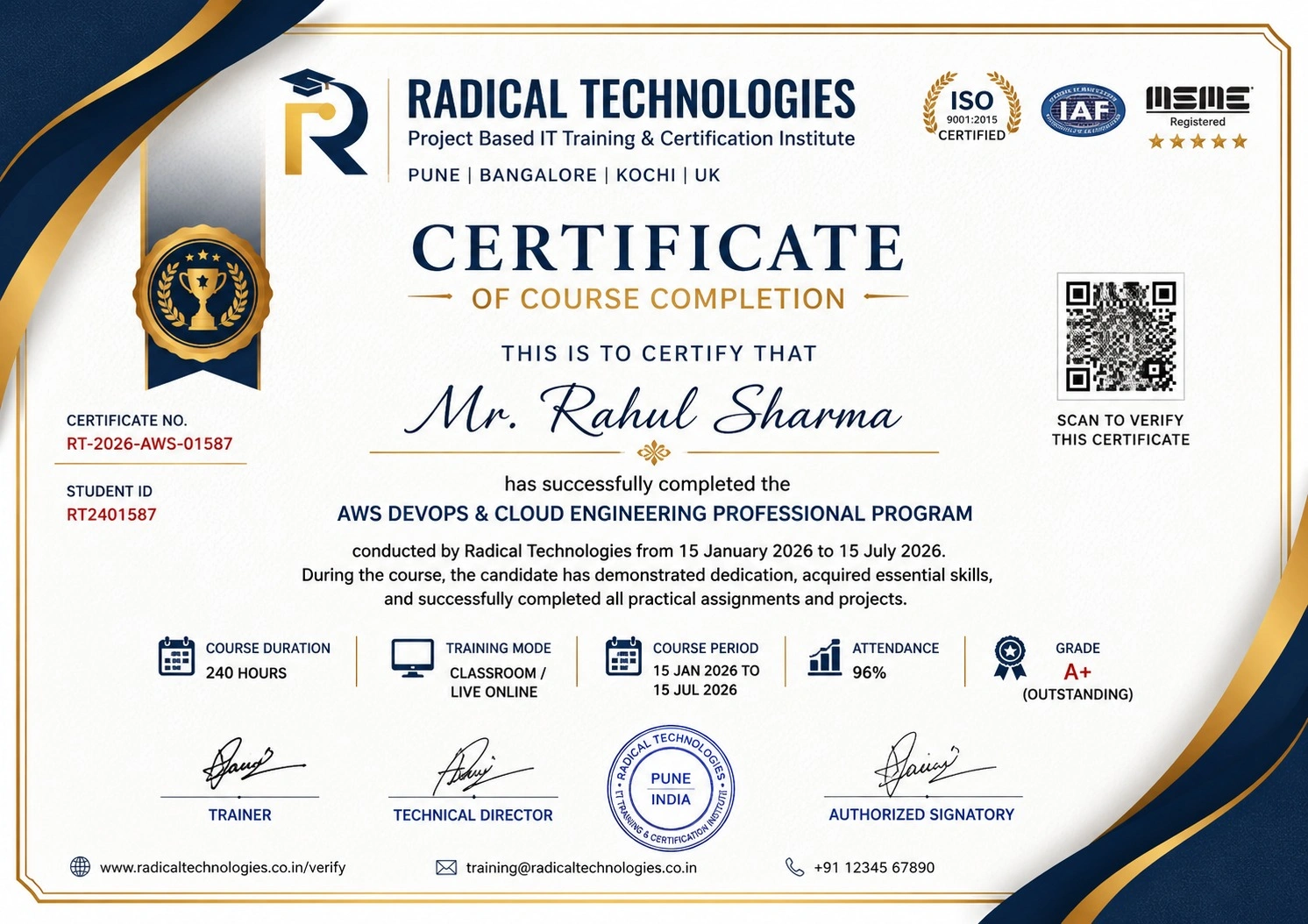
Certificate of Completion

Career Services

At Radical Technologies, we are committed to your success beyond the classroom. Our 100% Job Assistance program ensures that you are not only equipped with industry-relevant skills but also guided through the job placement process. With personalised resume building, interview preparation, and access to our extensive network of hiring partners, we help you take the next step confidently into your IT career.

Career Support

Course Completed? Need next steps?
Need Interview Supports?
Need Job Assistance?
Came from any other Institute?

Join our Brush-up Session & get support until you find a job!

Get Started

Radical Learning Eco-System

Exam Simulator

Cloud SandBox

Hands-on Cloud Lab

Developer Coding Ground

Student Reviews

4.8★
Average learner rating
50K+
Students trained
30+
Hiring companies alumni work at
100%
Placement assistance
4.8
★★★★★

Course Rating

★★★★★
85%
★★★★☆
12%
★★★☆☆
2%
★★☆☆☆
1%
★☆☆☆☆
0%

Our Alumni Work At
Accenture
Amazon
Avisys Services
Birlasoft
Capgemini
Catchpoint
Cognizant
Darwish Cybertech
DataVision
GiBots
Google
Groots Software
HCL Technologies
IBM
Info Gain
Infosys
ITCube Solutions
KPIT
L&T Infotech
Microsoft
Mphasis
mPhatek
Oracle
Quantbit Technologies
Saina Cloud
TCS
Tech Mahindra
Wipro
YASH Technologies
Zensar Technologies

SC-900 + SC-200 Course Certification With Training In Bangalore

Get a Call Back from Our Career Assistance Team

Request Callback