Radical Technologies
SAP
★★★★★
(2,095 ratings)  50,000+ Student

SAP TEST AUTOMATION WITH TOSCA

SAP Test Automation with Tosca Training is a 40-hour, practical and job-oriented course designed to help learners build expertise in SAP functional testing and test automation using Tricentis Tosca. The course covers SAP GUI and Fiori automation, module scanning, test case design, reusable automation, test data management, regression testing, API and database validation, reporting, CI/CD integration, and real-time SAP business process automation. Ideal for SAP testers, QA professionals, automation engineers, SAP consultants, and IT professionals looking to develop hands-on SAP test automation skills.

RT
Radical Technologies
50,000+ English 40 hours Weekdays / Weekends Classroom / Online / Corporate
Online / Classroom

SAP TEST AUTOMATION WITH TOSCA

IT Training Programme

Duration 40 hours
Batch Type Weekdays / Weekends
Mode of Training Classroom / Online / Corporate
Locations Pune, Bangalore, Kochi
Language English
Certification Globally Recognized
Call Now

100% placement assistance

Enquire Now

Get course fees, batch dates & a callback

We never share your details.

What you'll learn

Understand core concepts and architecture from the ground up
Get hands-on with the tools used by working professionals
Build real-world projects you can add to your portfolio
Learn industry best practices and coding standards
Practice with real datasets and real-world scenarios
Prepare for certification and technical interviews
Work on collaborative, team-based exercises
Apply performance tuning and optimization techniques
Understand how the technology fits into a larger ecosystem
Complete assignments reviewed by mentors

Programme Overview

29 sections covering the complete curriculum — a single, progressive learning arc.

40 hours
Training Duration
29
Core Modules
513
Total Lessons
4.7★
Average Rating
50K+
Students Trained
01

Foundations & Core Concepts

Get hands-on with the fundamentals and architecture — the building blocks for everything that follows.

Fundamentals Architecture Setup
02

Hands-On Practical Training

Work through real exercises and assignments designed to mirror what you will do on the job.

Practicals Assignments Labs
03

Real-World Projects

Apply what you have learned to end-to-end projects that go straight into your portfolio.

Projects Portfolio Case Studies
04

Advanced Techniques

Go beyond the basics with advanced concepts, integrations and production-grade practices.

Advanced Integration Best Practices
05

Ecosystem Integration

Understand how this technology connects with the broader tools and platforms used in the industry.

Ecosystem Tools Platforms
06

Performance & Interview Prep

Master optimization techniques and prepare for the technical interview questions employers actually ask.

Optimization Interview Prep Certification

Who is this programme for?

Whether you're already writing code, working with data, or supporting applications today — this programme is built to take you into a SAP role.

Software Developers

Engineers who want to add this skill set to their toolkit

Analysts & Consultants

Professionals moving into a more technical, hands-on role

IT Professionals

System admins and support engineers upskilling into a new domain

Fresh Graduates

CS/IT graduates aiming for a job-ready technical role

Course Curriculum

29 sections  •  513 lessons  •  40 hours

01 1. Course Overview
This course is designed for professionals who want to build expertise in SAP functional testing and automation using Tosca.

The program combines:

• SAP Testing Fundamentals
• Tosca Fundamentals
• SAP GUI Automation
• SAP Fiori Automation
• Module Scanning
• TestCase Design
• Reusable Test Automation
• Test Data Management
• SAP End-to-End Business Process Automation
• Regression Testing
• API and Database Validation
• Test Execution and Reporting
• CI/CD Integration
• Real-Time SAP Automation Projects
Tosca’s current documentation describes Modules as the building blocks of automated tests, with TestCases constructed from those Modules.
02 2. Prerequisites

SAP Knowledge

Basic understanding of at least one SAP functional area is recommended:

• SAP SD
• SAP MM
• SAP FICO
• SAP PP
• SAP HCM
• SAP S/4HANA

Testing Knowledge

• Manual testing fundamentals
• SDLC
• STLC
• Test cases
• Defect lifecycle
• Regression testing
• Integration testing

Technical Knowledge

• Basic SQL
• Basic database concepts
• Basic web concepts
• Basic understanding of APIs
• Basic Excel

Programming knowledge is not mandatory for the core Tosca approach, although scripting/programming knowledge can be useful for advanced integrations and supporting utilities.

03 3. Fundamentals of SAP Testing

SAP Testing Concepts

• SAP application landscape
• SAP ECC vs SAP S/4HANA
• SAP GUI
• SAP Fiori
• SAP Web applications
• SAP business processes
• SAP modules and integration
• Master data
• Transaction data
• Configuration vs customization
• Functional testing
• Integration testing
• Regression testing
• Smoke testing
• Sanity testing
• End-to-end testing
• User Acceptance Testing
• Production validation

SAP Testing Lifecycle

• Requirement analysis
• Test planning
• Test-case preparation
• Test-data preparation
• Test execution
• Defect management
• Retesting
• Regression
• Test reporting
• Test closure
04 4. Introduction to Tricentis Tosca

Tosca Architecture

• Introduction to Tricentis Tosca
• Tosca Commander / workspace concepts
• Tosca project structure
• Workspaces
• Modules
• TestCases
• TestSteps
• Requirements
• ExecutionLists
• Test configuration
• Reusable components

Tosca Automation Approach

Scan → Module → TestCase → Execution → Results

Tosca scanning captures technical information about application controls and stores it as Modules, which are subsequently used to build TestCases.
05 5. Tosca Modules

Module Fundamentals

• What is a Module?
• Standard Modules
• Technical Modules
• Application-specific Modules
• Module attributes
• Controls
• Identification parameters
• Module reusability
• Module naming standards
• Module maintenance

Scanning

• Application scanning
• SAP application scanning
• SAP GUI scanning
• Web scanning
• Fiori scanning
• Control identification
• Dynamic controls
• Synchronization
• Rescanning
• Updating existing Modules
Tosca provides technology-specific Modules for SAP, SAP Fiori, SAP NetWeaver Business Client and other enterprise technologies.
Hands-On Lab

SAP GUI Module Scanning Lab

• Launch SAP
• Navigate to transaction
• Scan screen
• Identify controls
• Create reusable Module
• Build first automated TestCase
06 6. Tosca TestCase Design

TestCase Fundamentals

• Creating TestCases
• TestSteps
• TestStepValues
• Action modes
• Input values
• Verification values
• Buffering
• Synchronization
• Wait conditions
• Reusable TestSteps
• TestCase organization

Action Modes

• Input
• Verify
• Buffer
• Constraint
• WaitOn
• Select
• Steering methods
07 7. SAP GUI Automation

SAP GUI Automation Topics

• SAP Logon automation
• SAP login
• Client selection
• User authentication
• SAP transaction navigation
• Menu navigation
• Input fields
• Tables
• Dropdowns
• Radio buttons
• Checkboxes
• SAP ALV grids
• SAP tree controls
• Pop-ups
• Error messages
• Status bars
• SAP session handling
• Transaction validation
Tosca’s SAP-specific Modules include functionality for SAP Logon/login and SAP interface controls.

Lab

Automate SAP Login → Transaction → Data Entry → Save → Verify Result

08 8. SAP Business Process Automation
This is one of the most important job-oriented sections.

SAP SD

Order-to-Cash
• Create Customer
• Create Material
• Create Sales Order
• Create Delivery
• Post Goods Issue
• Create Billing
• Verify Accounting Document

Automation Project

SAP SD Order-to-Cash Regression Automation

SAP MM

Procure-to-Pay
• Create Vendor
• Purchase Requisition
• Purchase Order
• Goods Receipt
• Invoice Verification
• Payment validation

Automation Project

SAP MM Procure-to-Pay Automation

SAP FICO

Financial Process
• Customer master
• Vendor master
• Journal posting
• Accounts payable
• Accounts receivable
• General ledger
• Invoice validation
• Financial document verification

Automation Project

SAP Finance Invoice Processing Automation
09 9. SAP Fiori Automation

Fiori Fundamentals

• SAP Fiori architecture
• Fiori Launchpad
• Tiles
• Apps
• Catalogs
• Groups/spaces
• User navigation
• Fiori business roles

Fiori Automation

• Scan Fiori applications
• Identify controls
• Input data
• Verify results
• Handle dynamic controls
• Work with tables
• Handle popups
• Navigation
• Synchronization
• End-to-end Fiori workflows
SAP’s current Tricentis integration supports automated testing across SAP UIs and APIs, including SAP cloud products.

Lab

SAP Fiori End-to-End Sales Process Automation

10 10. Test Data Management

Test Data Concepts

• Test data requirements
• Static test data
• Dynamic test data
• Reusable test data
• Data-driven automation
• Parameterization
• Test data variation
• Data isolation

Tosca Test Data

• Test Data Service
• Test data types
• Create data
• Find data
• Update data
• Delete data
• Import/export
• Data reuse
Tosca provides Test Data Service modules for finding, creating, updating, moving, deleting, importing and exporting test data.

Lab

Create a Reusable SAP Customer Test Data Framework

11 11. TBox / Standard Modules

Important areas:

• Buffer Operations
• Data Integrity
• Expression Evaluation
• File Operations
• Folder Operations
• Numeric Operations
• Process Operations
• Timing
• Test Data
• Database
• Excel
• JSON
• XML
• PDF
• API-related automation

Tosca provides standard automation modules as well as technology-specific modules.

12 12. SAP + Database Validation

Database Testing

• Database connections
• SQL queries
• Data validation
• Backend verification
• Frontend vs backend validation
• Transaction verification
• Data consistency
• Database comparison

Lab

SAP Transaction → Database Validation

Example:

Create Sales Order → Execute Transaction → Query Database → Validate Record
13 13. API Testing with Tosca

API Fundamentals

• REST API
• SOAP API
• HTTP methods
• GET
• POST
• PUT
• DELETE
• Headers
• Authentication
• Request body
• Response validation
• JSON
• XML

SAP API Automation

• SAP API testing
• API request creation
• Response validation
• End-to-end API testing
• SAP UI + API integration testing
SAP documentation describes Tricentis Test Automation as supporting automated functional tests across SAP products and APIs.
14 14. Requirements and Risk-Based Testing

Requirements

• Requirement organization
• Requirement-to-test mapping
• Coverage
• Traceability
• Risk-based testing
• Business-critical processes

Risk-Based Automation

Identify:

• Critical business processes
• High-risk transactions
• Frequently changed functionality
• High-volume processes
• Production-critical workflows
Tosca also provides risk-based intelligence and supports end-to-end testing across SAP and non-SAP enterprise technologies.
15 15. Execution and Test Management

Execution

• ExecutionLists
• Test execution
• Execution status
• Passed tests
• Failed tests
• Blocked tests
• Error handling
• Logs
• Evidence
• Result analysis

Regression Testing

• Regression suite creation
• Smoke suite
• Sanity suite
• Critical business process suite
• Daily regression
• Release regression
• SAP upgrade regression
16 16. Tosca Error Handling & Troubleshooting

Real-time troubleshooting scenarios:

  • ›• SAP control not identified
  • ›• Module scan failure
  • ›• Dynamic SAP control
  • ›• SAP popup handling
  • ›• Session timeout
  • ›• Login failure
  • ›• Incorrect identification parameters
  • ›• Synchronization failure
  • ›• Test data unavailable
  • ›• Transaction failure
  • ›• Unexpected SAP message
  • ›• Fiori element identification issue
  • ›• Browser compatibility problem
  • ›• Database validation mismatch
  • ›• API response mismatch
  • ›• Test execution timeout
  • ›• Environment connectivity issue
  • ›• Module maintenance after SAP UI changes
17 17. SAP S/4HANA Testing

S/4HANA Testing

• S/4HANA overview
• SAP GUI vs Fiori
• Business process changes
• Regression testing
• End-to-end testing
• Fiori-based processes
• Data migration validation
• Integration testing
• API testing
• Upgrade testing
• Release testing

Project

S/4HANA End-to-End Regression Automation

18 18. SAP Upgrade & Migration Testing

Real-Time Scenarios

  • ›• ECC → S/4HANA
  • ›• SAP version upgrades
  • ›• Fiori adoption
  • ›• Customization changes
  • ›• Regression suite execution
  • ›• Data migration validation
  • ›• Integration validation
  • ›• Critical transaction validation
  • ›• Business process validation

Project

SAP S/4HANA Upgrade Regression Automation Framework

19 19. Tosca Advanced Automation

Advanced Topics

• Reusable TestCases
• Reusable Modules
• TestCase Templates
• Parameterization
• Dynamic test data
• Configuration parameters
• Business parameters
• TestCase Design
• Data-driven testing
• Execution optimization
• Parallel execution concepts
• Automation maintainability
• Automation framework architecture
20 20. CI/CD Integration

DevOps Integration

• Continuous testing
• CI/CD concepts
• Jenkins
• Git
• GitHub
• Azure DevOps
• Pipeline-triggered test execution
• Automated regression
• Test reporting
• Release validation

SAP ALM Integration

• SAP Solution Manager concepts
• SAP Cloud ALM
• Tricentis integration
• Test planning
• Test execution
• Result synchronization
• Defect workflow
SAP documents integration between Tricentis Tosca Cloud and SAP Cloud ALM for automated test design, orchestration, execution monitoring and reporting.
21 21. Hands-On Labs

Core Labs

1. Tosca Workspace Setup
2. SAP GUI Scanning
3. SAP Login Automation
4. SAP Transaction Automation
5. SAP Table Automation
6. SAP Popup Handling
7. SAP ALV Grid Automation
8. SAP Fiori Scanning
9. Fiori Business Process Automation
10. TestCase Creation
11. Reusable Module Creation
12. Test Data Management
13. Database Validation
14. API Testing
15. Requirements Traceability
16. Regression Suite Creation
17. ExecutionList Configuration
18. Error Handling
19. SAP S/4HANA Automation
20. CI/CD Integration
22 22. Assignments
1. Create SAP Login Automation.
2. Automate a SAP transaction.
3. Create reusable SAP Modules.
4. Automate SAP table validation.
5. Automate SAP popup handling.
6. Create a Fiori automation TestCase.
7. Create parameterized TestCases.
8. Implement Test Data Service.
9. Perform SAP-to-database validation.
10. Create an API validation TestCase.
11. Build an SAP regression suite.
12. Create an ExecutionList.
13. Analyze failed automation results.
14. Create a risk-based automation suite.
15. Prepare a reusable automation framework.
23 23. Mini Projects

Mini Project 1 – SAP SD

Order-to-Cash Automation

Sales Order → Delivery → PGI → Billing → Verification

Mini Project 2 – SAP MM

Procure-to-Pay Automation

PR → PO → GR → Invoice → Validation

Mini Project 3 – SAP FICO

Financial Invoice Automation

Invoice → Accounting Document → Validation

Mini Project 4 – SAP Fiori

Fiori End-to-End Business Process Automation
24 24. Capstone Project

Enterprise SAP S/4HANA End-to-End Automation Framework

Business Processes

SD + MM + FICO + Fiori

Automation Flow

Requirement
↓
Test Scenario
↓
Module Scanning
↓
Reusable Modules
↓
TestCase Design
↓
Test Data
↓
Automation
↓
Execution
↓
Database/API Validation
↓
Defect Reporting
↓
Regression Suite
↓
Reporting

Capstone Deliverables

• Automation framework
• SAP Modules
• Reusable TestCases
• Test data framework
• ExecutionLists
• Regression suite
• Database validation
• API validation
• Defect reports
• Test execution reports
• Automation documentation
• Maintenance strategy
25 25. Real-Time Job-Oriented Scenarios

Participants will practise scenarios such as:

  • ›• Automating SAP login and authentication.
  • ›• Automating customer creation.
  • ›• Automating sales-order creation.
  • ›• Automating purchase-order processing.
  • ›• Automating goods receipt.
  • ›• Automating invoice processing.
  • ›• Validating SAP transaction results.
  • ›• Testing SAP Fiori applications.
  • ›• Automating SAP S/4HANA regression testing.
  • ›• Validating SAP data against database records.
  • ›• Automating API-based SAP processes.
  • ›• Building a regression suite for an SAP release.
  • ›• Handling SAP popups and dynamic controls.
  • ›• Maintaining automation after SAP UI changes.
  • ›• Executing tests as part of CI/CD.
  • ›• Preparing automation for an SAP upgrade.
  • ›• Automating cross-module business processes.
26 26. Industry Tools
• Tricentis Tosca
• Tosca Commander / Tosca Cloud
• SAP GUI
• SAP Fiori
• SAP S/4HANA
• SAP Cloud ALM
• SAP Solution Manager
• SQL
• Excel
• Postman
• REST APIs
• JSON
• XML
• Jenkins
• Git
• GitHub
• Azure DevOps
• Jira
• Confluence
27 27. Best Practices
• Build reusable Modules.
• Avoid unnecessary duplication.
• Follow consistent naming conventions.
• Separate test data from automation logic.
• Create modular TestCases.
• Use stable identification parameters.
• Design automation around business processes.
• Prioritize critical SAP transactions.
• Maintain regression suites.
• Validate both frontend and backend data.
• Use risk-based automation.
• Maintain traceability from requirements to tests.
• Keep automation independent of unnecessary UI changes.
• Maintain proper execution logs.
• Integrate automation with CI/CD where appropriate.
• Regularly review and maintain automation assets.
28 28. Certifications

Possible certification pathways can include:

• Tricentis Tosca / Tricentis certification pathways
• Tricentis Academy learning credentials
• SAP-related testing credentials where applicable
• ISTQB Foundation Level
• ISTQB Test Automation Engineer
Certification availability, exam structure, and prerequisites should be checked against the current provider requirements before advertising a specific certification as included.
29 29. Mock Interviews

Tosca

• What is Tosca?
• Explain Tosca architecture.
• What is a Module?
• What is a TestCase?
• Explain scanning.
• Explain ActionModes.
• What is Buffer?
• How do you handle dynamic objects?
• How do you create reusable Modules?
• How do you maintain Modules?

SAP Testing

• Explain SAP testing lifecycle.
• Explain SAP SD Order-to-Cash.
• Explain SAP MM Procure-to-Pay.
• Explain SAP Fiori testing.
• How do you perform SAP regression testing?
• How do you automate SAP S/4HANA?

Real-Time Scenarios

  • ›• SAP control is not identified. How do you troubleshoot?
  • ›• Automation works in QA but fails in production. What would you investigate?
  • ›• SAP popup appears intermittently. How would you handle it?
  • ›• Test data is already consumed. How do you design reusable test data?
  • ›• SAP upgrade changes the UI. How do you maintain the automation?

Target Job Roles

• SAP Tosca Automation Tester
• SAP Test Automation Engineer
• Tosca Automation Engineer
• SAP QA Automation Engineer
• SAP S/4HANA Test Automation Engineer
• SAP Fiori Automation Tester
• SAP QA Analyst
• SAP Test Engineer
• SAP Automation Consultant
• Tricentis Tosca Consultant
• SAP Quality Engineer
• SAP Test Lead

Tools & Technologies

Every tool listed here is installed, configured and used in a hands-on lab session.

Core Tools

Hands-On Labs

Practical Environment

Industry-Standard Tools

Real-World Setup

Guided Exercises

Skill Building

Sample Datasets

Practice Material

Practice & Projects

Mini Projects

Applied Practice

Assignments

Mentor Reviewed

Doubt Sessions

Live Support

Career Readiness

Resume Building

Career Support

Mock Interviews

Interview Prep

Certification Prep

Global Recognition

Deployment & Delivery

Production Practices

Real-World Ready

Best Practices

Industry Standards

513+
Hands-On Lessons
29
Core Modules
40 hours
Training Duration
100%
Practical Training

You don't just learn SAP TEST AUTOMATION WITH TOSCA. You ship it.

Three major projects, each mirroring how production teams actually work — from guided foundations to a portfolio-ready capstone.

PROJECT // 01

Guided Foundation Project

→Requirement Analysis

→Guided Implementation

→Mentor Review

→Iteration

Foundation Beginner

Apply the fundamentals in a structured, mentor-reviewed project

Take the core concepts from the first half of the curriculum and apply them to a realistic scenario, with guidance and feedback from your mentor at every step.

Structured project brief
Step-by-step implementation
Mentor feedback and review
Documented outcome
Stack Core Concepts Best Practices
PROJECT // 02

Applied Practice Project

→Scenario Design

→Independent Build

→Testing & Validation

→Peer Review

Applied Intermediate

Build a more independent project mirroring real production scenarios

Work through a project that combines multiple concepts from the curriculum, closer to how work is actually structured on the job — less hand-holding, more ownership.

End-to-end implementation
Testing and validation
Documentation
Peer/mentor review
Stack Applied Skills Testing
PROJECT // 03

Capstone Project

→Planning

→End-to-End Build

→Review & Refinement

→Presentation

Capstone Advanced

Take a project from requirements to a polished, portfolio-ready deliverable

Your final project — plan, build, test and present a complete solution using everything covered in the curriculum, reviewed by mentors before you graduate.

Complete working solution
Presentation-ready documentation
Mentor sign-off
Portfolio-ready deliverable
Stack Full Curriculum Portfolio

All 3 projects go directly into your portfolio & resume — reviewed by mentors before you graduate.

See Sample Project Reports

Upcoming Batches

No upcoming batches scheduled right now. Enquire to get notified.

Why Radical Technologies

Live Online Training
  • Highly practical oriented training
  • Installation support on your system
  • 24/7 Email and Phone support
  • 100% Placement Assistance
  • Global Certification Preparation
  • Trainer-Student Interactive Portal
  • Assignments and Projects by Mentors
Live Classroom Training
  • Weekend / Weekdays / Morning / Evening batches
  • 80:20 Practical and Theory ratio
  • Real-life Case Studies
  • Easy make-up for missed sessions
  • PSI | Kryterion | Redhat Test Centers
  • Lifetime Video Classroom Access (coming soon)
  • Resume Prep and Mock Interviews
Self-Paced Training
  • Learn 300+ courses at your own time
  • 50,000+ Satisfied Learners
  • Course Completion Certificate
  • Practical Labs available
  • Mentor Support available
  • Doubt Clearing Session available
  • 10% Discounted Global Certification

Like the Curriculum? Let's Get Started

Join 50,000+ students already enrolled at Radical Technologies

Enroll Now

Global Certification

Radical Technologies is the leading IT certification institute in Bangalore, offering globally recognized certifications across various domains. With expert trainers and comprehensive materials, we ensure students gain in-depth knowledge and hands-on experience to excel in their careers. Our certification programs are tailored to meet industry standards — from cloud technologies to data science — empowering individuals to stay ahead in the ever-evolving tech landscape.
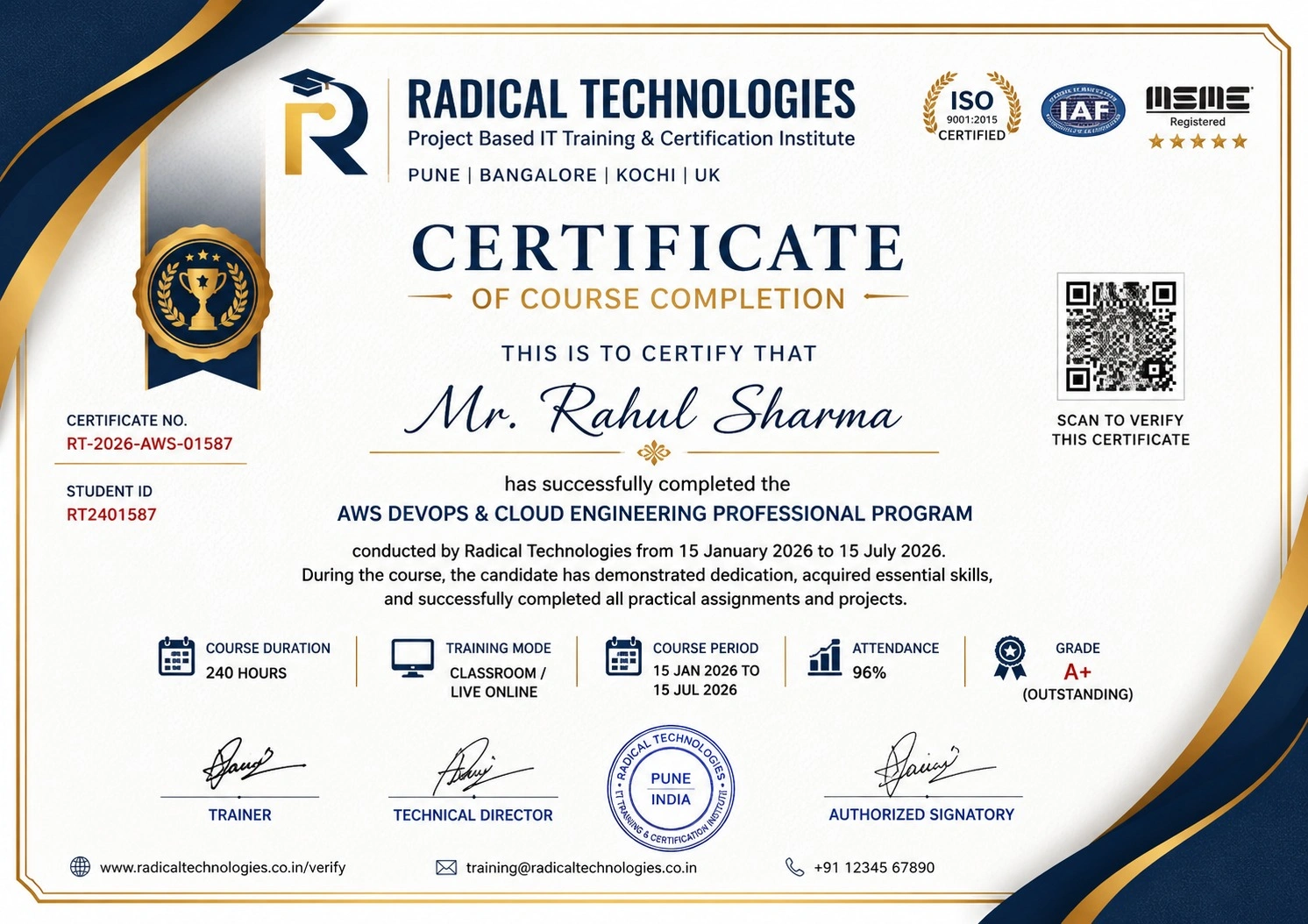
Certificate of Completion

Career Services

At Radical Technologies, we are committed to your success beyond the classroom. Our 100% Job Assistance program ensures that you are not only equipped with industry-relevant skills but also guided through the job placement process. With personalised resume building, interview preparation, and access to our extensive network of hiring partners, we help you take the next step confidently into your IT career.

Career Support

Course Completed? Need next steps?
Need Interview Supports?
Need Job Assistance?
Came from any other Institute?

Join our Brush-up Session & get support until you find a job!

Get Started

Radical Learning Eco-System

Exam Simulator

Cloud SandBox

Hands-on Cloud Lab

Developer Coding Ground

Student Reviews

4.7★
Average learner rating
50K+
Students trained
30+
Hiring companies alumni work at
100%
Placement assistance
4.7
★★★★★

Course Rating

★★★★★
79%
★★★★☆
16%
★★★☆☆
3%
★★☆☆☆
1%
★☆☆☆☆
1%

Our Alumni Work At
Accenture
Amazon
Avisys Services
Birlasoft
Capgemini
Catchpoint
Cognizant
Darwish Cybertech
DataVision
GiBots
Google
Groots Software
HCL Technologies
IBM
Info Gain
Infosys
ITCube Solutions
KPIT
L&T Infotech
Microsoft
Mphasis
mPhatek
Oracle
Quantbit Technologies
Saina Cloud
TCS
Tech Mahindra
Wipro
YASH Technologies
Zensar Technologies
Accenture
Amazon
Avisys Services
Birlasoft
Capgemini
Catchpoint
Cognizant
Darwish Cybertech
DataVision
GiBots
Google
Groots Software
HCL Technologies
IBM
Info Gain
Infosys
ITCube Solutions
KPIT
L&T Infotech
Microsoft
Mphasis
mPhatek
Oracle
Quantbit Technologies
Saina Cloud
TCS
Tech Mahindra
Wipro
YASH Technologies
Zensar Technologies

SAP Test Automation with Tosca Course Certification With Training In Bangalore

Get a Call Back from Our Career Assistance Team

Request Callback