Radical Technologies
-ORACLE
★★★★★
(2,095 ratings)  50,000+ Student

ORACLE 11G + 12C + 19C DATABASE TUNING

Covers each topics with Real Time Examples . Covers More than 250+ Real Time Scenarios which is divided into Admin 1 (Basic) + Admin2 + 12C (which is why we called it a combo course). Trainer from Real Time Industry .This is completely hands-on training , which covers 70% Practical And 30% Theory .Specail attention / session for interview preparation after the course is done.We give examples and exposure to real time scenarios to make sure all the candidate will get at least 5+ Year experience knowledge in Oracle DBA after attending this course.Covers 11G +12C topics in Details from the very basic to advanced level . Complete OCA and OCP Exam Preparations.Appear for OCA/OCP Certification Exam at any time After the course . At your convenient time , you can book and appear for exam at our place as we are Pearson certified institute

RT
Radical Technologies
50,000+ English 10 weeks Weekdays / Weekends Classroom / Online / Corporate
Online / Classroom

ORACLE 11G + 12C + 19C DATABASE TUNING

IT Training Programme

Duration 10 weeks
Batch Type Weekdays / Weekends
Mode of Training Classroom / Online / Corporate
Locations Pune, Bangalore, Kochi
Language English
Certification Globally Recognized
Call Now

100% placement assistance

Enquire Now

Get course fees, batch dates & a callback

We never share your details.

What you'll learn

Understand core concepts and architecture from the ground up
Get hands-on with the tools used by working professionals
Build real-world projects you can add to your portfolio
Learn industry best practices and coding standards
Practice with real datasets and real-world scenarios
Prepare for certification and technical interviews
Work on collaborative, team-based exercises
Apply performance tuning and optimization techniques
Understand how the technology fits into a larger ecosystem
Complete assignments reviewed by mentors

Programme Overview

2 sections covering the complete curriculum — a single, progressive learning arc.

10 weeks
Training Duration
2
Core Modules
252
Total Lessons
4.7★
Average Rating
50K+
Students Trained
01

Foundations & Core Concepts

Get hands-on with the fundamentals and architecture — the building blocks for everything that follows.

Fundamentals Architecture Setup
02

Hands-On Practical Training

Work through real exercises and assignments designed to mirror what you will do on the job.

Practicals Assignments Labs
03

Real-World Projects

Apply what you have learned to end-to-end projects that go straight into your portfolio.

Projects Portfolio Case Studies
04

Advanced Techniques

Go beyond the basics with advanced concepts, integrations and production-grade practices.

Advanced Integration Best Practices
05

Ecosystem Integration

Understand how this technology connects with the broader tools and platforms used in the industry.

Ecosystem Tools Platforms
06

Performance & Interview Prep

Master optimization techniques and prepare for the technical interview questions employers actually ask.

Optimization Interview Prep Certification

Who is this programme for?

Whether you're already writing code, working with data, or supporting applications today — this programme is built to take you into a -ORACLE role.

Software Developers

Engineers who want to add this skill set to their toolkit

Analysts & Consultants

Professionals moving into a more technical, hands-on role

IT Professionals

System admins and support engineers upskilling into a new domain

Fresh Graduates

CS/IT graduates aiming for a job-ready technical role

Course Curriculum

2 sections  •  252 lessons  •  10 weeks

01 ORACLE 11G & 12C

Linux Installation

Learn to install Linux with relevant packages.
Understand HDD partitioning
Primary versus Extended Partitioning
Physical Volumes / Logical Volumes / LUNs

Understanding RAID/Storages/DNS/DHCP/iscsi utilities

Different levels of RAID
Installation and configuration of DNS
Installation and configuration of DHCP
tgtd and iscsi utilities

Installing 11g and 12c Oracle Software

Install and configure 11g and 12c Oracle Database Software

Creating 11g and 12c databases (manual)

Creating 11g Database and 12c Database manually

11g and 12c Architecture

Thorough understanding of 11g and 12c architecture

Oracle Administration and management

Starting databases
Understanding control files / redo log files / archive files
Understanding Server parameter file and password files
Automatic memory management
Different components in SGA and PGA

Tablespaces/Segments/Extents and Blocks

Dictionary managed versus locally managed tablespaces
Automatic Segment space management
Understanding Segments / extents and blocks
Block utilization parameters
Understanding row chaining and migration
Different block sizes

12C Multitenant Database concepts and new features

Understanding multitenant architecture
Overviews of Pluggable databases

Oracle networking and shared process overview

Configuring and maintaining listeners
Configured Dispatchers and Shared servers
Understanding tnsnames.ora/sqlnet.ora and Ez Connect

ASM overview and benefits

Complete overview of ASM
Understand the need for ASM
ASM instance parameters

RMAN and conventional Backup/Recovery

Defining backup strategy
Complete understanding of RMAN and conventional backups

RMAN and Conventional Cloning

Cloning database using conventional methods
Cloning database using RMAN

Applying patches

Different types of patches
How to apply a patch to a database

Database upgrade

Upgrade database from 11g to 12c
Converting 12c non-CDB to 12c pluggable database

Physical and logical Standby/ Data Guard

Configure physical standby database
Understanding logical and snapshot standby databases

Oracle Shell Scripting overview

Understanding cronjob
Writing basic scripts

AWR reports/ADDM reports/ASH report

Understand how to read the AWR / ADDM / ASH reports

SQL Loader/External Tables

Using SQL loader to load data into tables
External tables and their benefits

Partitioning Concepts

Understanding different types of partitioning
Creating and altering partitions

EXPDP/IMPDP Backups

Taking logical backups using expdp
Data pump usage and scenarios

Tracing Utilities (oradebug/SQL trace/tkprof) and SQL tuning

Using utilities for tracing
How to read SQL explain plan
SQL performance considerations

SCENARIOS

  • ›Loss of a Control File
  • ›Loss of a Redo Log File
  • ›Loss of a Data File in NOARCHIVELOG Mode
  • ›Loss of a Noncritical Data File in ARCHIVELOG Mode
  • ›Loss of a System-Critical Data File in ARCHIVELOG Mode
  • ›Oracle Recovery Manager
  • ›Oracle Recovery Catalog maintenance
  • ›Backups using Oracle Recovery Manager
  • ›Recovery using Oracle Recovery Manager
  • ›Database Cloning using RMAN
  • ›Tablespace Point in Time recovery
  • ›Incomplete recovery

Monitoring and Resolving Lock Conflicts

Locks
Locking Mechanism
Data Concurrency
DML Locks
Enqueue Mechanism
Lock Conflicts
Possible Causes of Lock Conflicts
Detecting Lock Conflicts
Resolving Lock Conflicts
Deadlocks

Performance Monitoring

Performance Monitoring
Monitoring Methodologies
Database and Instance Metrics
Data Dictionary Metrics
Optimizer Statistics
Schedule Optimizer Statistics Collection
Dynamic Performance Views
Viewing Metric Information
Reacting to Performance Issues

Proactive Maintenance

Server Generated Alerts
Thresholds
Setting Thresholds
Baseline Measurements
Tuning and Diagnostic Advisors
SQL Tuning and Access Advisors
Memory Advisors
Segment Advisor
Automatic Workload Repository (AWR)
Managing the AWR
Automatic Database Diagnostic Monitor (ADDM)

TOPICS COVERED

VMware Install
Linux Installation
Networking (Neat)
OS user creation, group, and password management
File sharing from Windows OS to Linux OS
Oracle Installation
Database Creation
NETCA, NETMGR
Listener
lsnrctl utility
Services
SGA
User Management
Profile
Roles
Tablespace
Create, drop, alter tablespace
Create datafiles
Small datafile
Big datafile
Quota
Tablespace online, offline
Default tablespace
Extent management
Memory allocation
Undo Management
Database Startup types
Database Shutdown types
Physical files
Backup, Restore, and Recovery
Physical Backup
Cold Backup
Hot Backup
Data Pump
exp, imp
impdp, expdp
RMAN
Flashback
02 ORACLE DBA 19C

Oracle Database Architecture

Databases and instances overview
Multitenant architecture
Sharding architecture
Architecture diagram on the OHC
Physical storage structures
Logical storage structures
Logical and physical storage structures
Data storage: segments, extents, blocks
Types of segments
Deferred segment creation
Block structure
Tablespaces and datafiles
Processes
Memory structures
Overview of Oracle Net Services
Overview of the Listener
Dedicated and shared server processes

Creating and Administering an Oracle Database

Use the Database Server Architecture lesson of the Oracle Database Architecture module
Connecting to an Oracle Database instance
Overview of Oracle Database tools
Prepare to create the database
Determine the character set to be used
Create a Multitenant Oracle Database (CDB)
Using DBCA in silent mode
Shut down the database instance and start the database instance/open the database
Open and close PDBs
Investigating Initialization Parameter Files
Viewing Initialization Parameters by Using SQL*Plus
Modifying Initialization Parameters by Using SQL*Plus
Viewing Diagnostic Information

Configuring and Administering Oracle Net Services

Use the Oracle Net Services Architecture lesson of the Oracle Database Architecture module
Naming methods
Define service names so users can connect to the database
19c Easy Connect Syntax Improvements (76634-2)
Create listeners
Configure listeners for dynamic or static service registration
Implement failover and load balancing features
Configure shared server architecture
Implement session multiplexing and access control features
Configure the cman.ora file on the Oracle Connection Manager computer
Configure the clients with the protocol address of the Oracle Connection Manager listener
Configure the database server for session multiplexing
Configure the cman.ora file to set up Oracle Database Cloud Traffic Manager

Creating and Administering Pluggable Databases

Create PDBs from seed
Clone a regular PDB
Unplug and plug or clone a non-CDB
Unplug and plug a regular PDB
Perform hot cloning
Perform near-zero downtime PDB relocation
Create and use a proxy PDB
Use DBCA to clone and relocate PDBs, and duplicate CDBs
Change PDB mode
Modify PDB settings
Rename a PDB service
Drop a PDB

Creating and Managing Database Storage

Use the Database Storage Structures lesson of the Oracle Database Architecture module
Create tablespaces to store database objects
Implement Oracle Managed Files (OMF)
View tablespace information
Drop a tablespace
Increase the size of the database (add datafiles, extend tablespaces, etc.)
Move or rename datafiles
Proactively monitor and manage tablespace space usage
Define default permanent tablespaces
Define a default temporary tablespace for a PDB
Save space by using compression
Reclaim wasted space from tables and indexes by using the segment shrink functionality
Manage resumable space allocation
Configure undo retention
Enable and disable temporary undo
Use local undo

Managing Users and Securing the Database

Create database users
Create common users in the CDB root and application root
Create local users in regular PDBs and application PDBs
Assign quota to database users
Authentication
Oracle-defined schema-only accounts
Provide users with access to the database (privileges/roles)
Create common roles in the CDB root and application root
Create local roles in regular PDBs and application PDBs
Grant privileges/roles commonly in the CDB root and application root
Grant privileges/roles locally in regular PDBs and application PDBs
Create profiles to control user security and resource utilization
Create common profiles in the CDB root and application root
Create local profiles in regular PDBs and application PDBs
Audit the use of the database (objects, privileges, etc.)
Audit actions in the CDB and PDBs

Loading and Transporting Data

Load data (Data Pump, SQL*Loader)
Utilities to load/maintain data in the database
Use SQL*Loader to load data
Use SQL*Loader with PDBs
Use Data Pump to transport (move) data
Move data from one database to another database
Use Data Pump with PDBs
Use the full transportable export/import feature to move an entire database to a different database instance
Use the transportable tablespaces feature to move a set of tablespaces between databases
Use the transportable tables feature to move a set of tables, partitions, and sub-partitions between databases
Use external tables as a data source

Managing Automated Maintenance Tasks

Overview of automated maintenance tasks
Overview of maintenance windows
Configure automated maintenance tasks
Enable and disable maintenance tasks
Create a maintenance window
Modify a maintenance window
Remove a maintenance window
Reduce or increase resource allocation to the automated maintenance tasks

Monitoring and Tuning Database Performance

Performance management activities
Performance planning
Performance tuning methodology
Automatic performance tuning features (AWR, ADDM, advisors)
PDB-level ADDM
Monitor database instance performance
Monitor database errors and alerts to prevent, detect, and solve problems (alert log, trace files, server-generated alerts)
Set metric thresholds
Monitor locks and wait events
Configure memory management
Set optimizer statistics preferences
Identify and tune SQL statements that are using the most resources
Tune a workload
Manage automated tuning tasks

Tools & Technologies

Every tool listed here is installed, configured and used in a hands-on lab session.

Core Tools

Hands-On Labs

Practical Environment

Industry-Standard Tools

Real-World Setup

Guided Exercises

Skill Building

Sample Datasets

Practice Material

Practice & Projects

Mini Projects

Applied Practice

Assignments

Mentor Reviewed

Doubt Sessions

Live Support

Career Readiness

Resume Building

Career Support

Mock Interviews

Interview Prep

Certification Prep

Global Recognition

Deployment & Delivery

Production Practices

Real-World Ready

Best Practices

Industry Standards

252+
Hands-On Lessons
2
Core Modules
10 weeks
Training Duration
100%
Practical Training

You don't just learn ORACLE 11G + 12C + 19C DATABASE TUNING. You ship it.

Three major projects, each mirroring how production teams actually work — from guided foundations to a portfolio-ready capstone.

PROJECT // 01

Guided Foundation Project

→Requirement Analysis

→Guided Implementation

→Mentor Review

→Iteration

Foundation Beginner

Apply the fundamentals in a structured, mentor-reviewed project

Take the core concepts from the first half of the curriculum and apply them to a realistic scenario, with guidance and feedback from your mentor at every step.

Structured project brief
Step-by-step implementation
Mentor feedback and review
Documented outcome
Stack Core Concepts Best Practices
PROJECT // 02

Applied Practice Project

→Scenario Design

→Independent Build

→Testing & Validation

→Peer Review

Applied Intermediate

Build a more independent project mirroring real production scenarios

Work through a project that combines multiple concepts from the curriculum, closer to how work is actually structured on the job — less hand-holding, more ownership.

End-to-end implementation
Testing and validation
Documentation
Peer/mentor review
Stack Applied Skills Testing
PROJECT // 03

Capstone Project

→Planning

→End-to-End Build

→Review & Refinement

→Presentation

Capstone Advanced

Take a project from requirements to a polished, portfolio-ready deliverable

Your final project — plan, build, test and present a complete solution using everything covered in the curriculum, reviewed by mentors before you graduate.

Complete working solution
Presentation-ready documentation
Mentor sign-off
Portfolio-ready deliverable
Stack Full Curriculum Portfolio

All 3 projects go directly into your portfolio & resume — reviewed by mentors before you graduate.

See Sample Project Reports

Upcoming Batches

Start Date Time Day Mode Enroll
14/11/2026 09:30 AM – 12:30 PM Weekend Online Enroll Now

Why Radical Technologies

Live Online Training
  • Highly practical oriented training
  • Installation support on your system
  • 24/7 Email and Phone support
  • 100% Placement Assistance
  • Global Certification Preparation
  • Trainer-Student Interactive Portal
  • Assignments and Projects by Mentors
Live Classroom Training
  • Weekend / Weekdays / Morning / Evening batches
  • 80:20 Practical and Theory ratio
  • Real-life Case Studies
  • Easy make-up for missed sessions
  • PSI | Kryterion | Redhat Test Centers
  • Lifetime Video Classroom Access (coming soon)
  • Resume Prep and Mock Interviews
Self-Paced Training
  • Learn 300+ courses at your own time
  • 50,000+ Satisfied Learners
  • Course Completion Certificate
  • Practical Labs available
  • Mentor Support available
  • Doubt Clearing Session available
  • 10% Discounted Global Certification

Like the Curriculum? Let's Get Started

Join 50,000+ students already enrolled at Radical Technologies

Enroll Now

Global Certification

Radical Technologies is the leading IT certification institute in Kochi, offering globally recognized certifications across various domains. With expert trainers and comprehensive materials, we ensure students gain in-depth knowledge and hands-on experience to excel in their careers. Our certification programs are tailored to meet industry standards — from cloud technologies to data science — empowering individuals to stay ahead in the ever-evolving tech landscape.
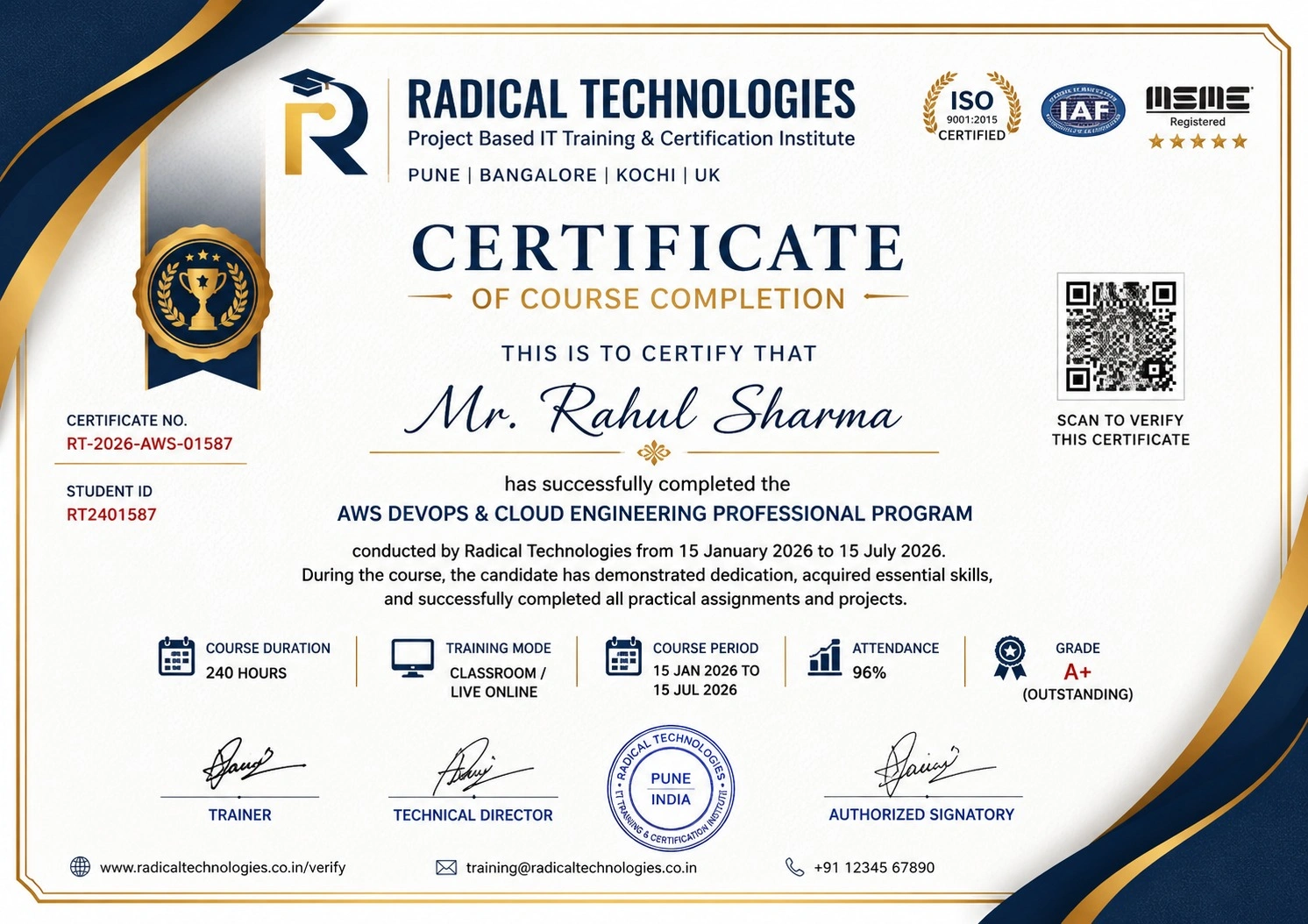
Certificate of Completion

Career Services

At Radical Technologies, we are committed to your success beyond the classroom. Our 100% Job Assistance program ensures that you are not only equipped with industry-relevant skills but also guided through the job placement process. With personalised resume building, interview preparation, and access to our extensive network of hiring partners, we help you take the next step confidently into your IT career.

Career Support

Course Completed? Need next steps?
Need Interview Supports?
Need Job Assistance?
Came from any other Institute?

Join our Brush-up Session & get support until you find a job!

Get Started

Radical Learning Eco-System

Exam Simulator

Cloud SandBox

Hands-on Cloud Lab

Developer Coding Ground

Student Reviews

4.7★
Average learner rating
50K+
Students trained
30+
Hiring companies alumni work at
100%
Placement assistance
4.7
★★★★★

Course Rating

★★★★★
79%
★★★★☆
16%
★★★☆☆
3%
★★☆☆☆
1%
★☆☆☆☆
1%

Our Alumni Work At
Accenture
Amazon
Avisys Services
Birlasoft
Capgemini
Catchpoint
Cognizant
Darwish Cybertech
DataVision
GiBots
Google
Groots Software
HCL Technologies
IBM
Info Gain
Infosys
ITCube Solutions
KPIT
L&T Infotech
Microsoft
Mphasis
mPhatek
Oracle
Quantbit Technologies
Saina Cloud
TCS
Tech Mahindra
Wipro
YASH Technologies
Zensar Technologies
Accenture
Amazon
Avisys Services
Birlasoft
Capgemini
Catchpoint
Cognizant
Darwish Cybertech
DataVision
GiBots
Google
Groots Software
HCL Technologies
IBM
Info Gain
Infosys
ITCube Solutions
KPIT
L&T Infotech
Microsoft
Mphasis
mPhatek
Oracle
Quantbit Technologies
Saina Cloud
TCS
Tech Mahindra
Wipro
YASH Technologies
Zensar Technologies

ORACLE 11G + 12C + 19C Database Tuning Course Certification with Training in Kochi

Get a Call Back from Our Career Assistance Team

Request Callback