
WINDOWS SERVER | AZURE CLOUD | AZURE DEVOPS | POWERSHELL SCRIPTING – COMBO Training in Kochi
The Windows | Azure Cloud | Azure DevOps & PowerShell Scripting Combo Program is an intensive, job-oriented training course crafted for IT professionals who want to master enterprise-grade system administration, cloud computing, DevOps practices, and automation with scripting. This curriculum combines the practical administration of Windows Server, core and advanced concepts of Microsoft Azure, CI/CD automation using Azure DevOps, andPowerShell scripting to automate routine admin and DevOps tasks. The program is designed with real-time scenarios, project-based learning, and certification alignment for AZ-104, AZ-900, AZ-400, and Windows Server Admin.

WINDOWS SERVER | AZURE CLOUD | AZURE DEVOPS | POWERSHELL SCRIPTING – COMBO
Windows Server Administration + Azure Administrator AZ-104 + Azure DevOps AZ-400 + Azure AI Fundamentals + Assignments + Mini Projects + Capstone Project 1 + Capstone Project 2 + Capstone Project 3 + Troubleshooting Scenarios + Best Practices
Tools you'll master
Enquire Now
Get course fees, batch dates & a callback
What you'll learn
Programme Overview
41 modules across Windows Server Administration + Azure Administrator AZ-104 + Azure DevOps AZ-400 + Azure AI Fundamentals, Assignments, Mini Projects, Capstone Project 1, Capstone Project 2, Capstone Project 3, Troubleshooting Scenarios, Best Practices — a single, progressive learning arc from foundational concepts to real-world projects.
Windows Server Administration + Azure Administrator AZ-104 + Azure DevOps AZ-400 + Azure AI Fundamentals
Master the core concepts and hands-on skills of Windows Server Administration + Azure Administrator AZ-104 + Azure DevOps AZ-400 + Azure AI Fundamentals — from fundamentals to real-world application.
Assignments
Master the core concepts and hands-on skills of Assignments — from fundamentals to real-world application.
Mini Projects
Master the core concepts and hands-on skills of Mini Projects — from fundamentals to real-world application.
Capstone Project 1
Master the core concepts and hands-on skills of Capstone Project 1 — from fundamentals to real-world application.
Capstone Project 2
Master the core concepts and hands-on skills of Capstone Project 2 — from fundamentals to real-world application.
Capstone Project 3
Master the core concepts and hands-on skills of Capstone Project 3 — from fundamentals to real-world application.
Who is this programme for?
Whether you're starting from scratch, know some SQL, or are already writing code — this programme takes you from database fundamentals through Python programming to real-world data analysis.
Students & Freshers
Build a strong foundation in WINDOWS SERVER | AZURE CLOUD | AZURE DEVOPS | POWERSHELL SCRIPTING – COMBO and gain practical, job-ready experience from day one.
Working Professionals
Upskill and combine complementary skills from multiple courses in one structured programme.
Career Switchers
Move into a new technical role with a single, structured path covering everything you need.
IT Professionals
Deepen your expertise and broaden your skill set with hands-on, practical training.
Program Highlights
- Windows Server Administration
- Windows Server 2019/2022 concepts
- Active Directory Domain Services
- DNS & DHCP
- Group Policy
- File & Print Services
- Windows Server Security
- PowerShell Administration
- Azure Administration
- Azure Virtual Machines
- Azure Networking
- Azure Storage
- Azure Identity
- Azure Monitor
- Azure Backup
- Azure Site Recovery
- Azure Governance
- Azure Resource Manager
- Azure Policy
- Azure DevOps
- Git & GitHub concepts
- Azure Repos
- Azure Pipelines
- CI/CD
- YAML pipelines
- Infrastructure as Code
- Terraform concepts
- Containers
- Deployment strategies
- Azure AI Fundamentals
- Azure AI Services
- Generative AI fundamentals
- Responsible AI
- Enterprise projects
- Production troubleshooting
Course Curriculum
8 courses • 41 modules • 650 topics
Windows Server Administration + Azure Administrator AZ-104 + Azure DevOps AZ-400 + Azure AI Fundamentals
Courses Combined
8
100% Practical · Unlimited Doubt Sessions
Hands-On Practice
- › Hands-on Lab: Windows Server Installation
- › Hands-on Lab: Server Manager Administration
- › Hands-on Lab: Server Core Configuration
- › Hands-on Lab: Server Naming
- › Hands-on Lab: Static IP Configuration
- › Hands-on Lab: Remote Server Administration
- › Hands-on Lab: Windows Server Roles Installation
- › Hands-on Assignment: Build and configure a basic enterprise Windows Server environment.
- › Hands-on Scenario: Configure a new Windows production server.
- › Hands-on Scenario: Assign static IP configuration.
- › Hands-on Scenario: Install required server roles.
- › Hands-on Scenario: Troubleshoot a Windows service failure.
Hands-On Practice
- › Hands-on Lab: Install AD DS
- › Hands-on Lab: Promote Domain Controller
- › Hands-on Lab: Create Domain
- › Hands-on Lab: Create Organizational Units
- › Hands-on Lab: Create Users
- › Hands-on Lab: Create Security Groups
- › Hands-on Lab: Join Windows Client to Domain
- › Hands-on Lab: Delegate Administrative Permissions
- › Hands-on Assignment: Design an Active Directory structure for a 500-user organization.
- › Hands-on Scenario: A new employee joins the organization. Create the account / assign appropriate groups / apply policies and provide domain access.
Hands-On Practice
- › Hands-on Lab: Configure DNS Server
- › Hands-on Lab: Create DNS Zone
- › Hands-on Lab: Configure DNS Records
- › Hands-on Lab: Configure DHCP Server
- › Hands-on Lab: Create DHCP Scope
- › Hands-on Lab: Configure Reservation
- › Hands-on Lab: Troubleshoot DNS Resolution
- › Hands-on Lab: Troubleshoot DHCP Allocation
- › Hands-on Mini Project: Enterprise DNS + DHCP Infrastructure
Hands-On Practice
- › Hands-on Lab: Create GPO
- › Hands-on Lab: Password Policy
- › Hands-on Lab: Account Lockout Policy
- › Hands-on Lab: Desktop Restriction
- › Hands-on Lab: Software Deployment
- › Hands-on Lab: Drive Mapping
- › Hands-on Lab: Login Script
- › Hands-on Lab: GPO Troubleshooting
- › Hands-on Assignment: Implement enterprise security policies using Group Policy.
Hands-On Practice
- › Hands-on Lab: Disk Configuration
- › Hands-on Lab: NTFS Configuration
- › Hands-on Lab: Shared Folder
- › Hands-on Lab: File Permissions
- › Hands-on Lab: Access-Based Enumeration
- › Hands-on Lab: Quota Management
- › Hands-on Lab: File Screening
- › Hands-on Scenario: Create departmental shared storage where HR / Finance and IT have different access levels.
Hands-On Practice
- › Hands-on Lab: Windows Firewall
- › Hands-on Lab: Security Policy
- › Hands-on Lab: Audit Policy
- › Hands-on Lab: Failed Login Monitoring
- › Hands-on Lab: Defender Configuration
- › Hands-on Lab: Server Hardening
- › Hands-on Mini Project: Windows Server Security Hardening
Hands-On Practice
- › Hands-on Lab: Create Users Using PowerShell
- › Hands-on Lab: Bulk User Creation
- › Hands-on Lab: Group Management
- › Hands-on Lab: Service Monitoring Script
- › Hands-on Lab: Disk Monitoring Script
- › Hands-on Lab: Event Log Collection
- › Hands-on Lab: Server Health Check
- › Hands-on Lab: Automated Windows Administration
- › Hands-on Mini Project: PowerShell-Based Windows Server Administration Toolkit
Hands-On Practice
- › Hands-on Lab: DNS Failure Troubleshooting
- › Hands-on Lab: AD Authentication Troubleshooting
- › Hands-on Lab: GPO Troubleshooting
- › Hands-on Lab: Service Failure Analysis
- › Hands-on Lab: Performance Analysis
- › Hands-on Lab: Event Log Investigation
Hands-On Practice
- › Hands-on Lab: Create Azure Account/Lab Environment
- › Hands-on Lab: Create Resource Group
- › Hands-on Lab: Deploy Azure Resource
- › Hands-on Lab: Azure CLI
- › Hands-on Lab: Azure PowerShell
- › Hands-on Lab: Azure Portal Administration
- › Hands-on Assignment: Design a basic Azure infrastructure for an enterprise application.
Hands-On Practice
- › Hands-on Lab: Create Entra Users
- › Hands-on Lab: Create Groups
- › Hands-on Lab: Assign RBAC
- › Hands-on Lab: Configure MFA
- › Hands-on Lab: Configure Administrative Roles
- › Hands-on Lab: Managed Identity
- › Hands-on Lab: Application Identity
- › Hands-on Scenario: Provide developers access to Azure resources without giving them unnecessary administrative privileges.
Hands-On Practice
- › Hands-on Lab: Create Windows VM
- › Hands-on Lab: Create Linux VM
- › Hands-on Lab: Configure VM Networking
- › Hands-on Lab: Attach Data Disk
- › Hands-on Lab: Configure VM Extension
- › Hands-on Lab: VM Backup
- › Hands-on Lab: VM Monitoring
- › Hands-on Lab: App Service Deployment
- › Hands-on Mini Project: Deploy a Highly Available Azure Application Infrastructure
Hands-On Practice
- › Hands-on Lab: Create VNet
- › Hands-on Lab: Create Subnets
- › Hands-on Lab: Configure NSG
- › Hands-on Lab: VNet Peering
- › Hands-on Lab: Load Balancer
- › Hands-on Lab: Application Gateway
- › Hands-on Lab: Private Endpoint
- › Hands-on Lab: Network Troubleshooting
- › Hands-on Assignment: Design a secure three-tier Azure network.
Hands-On Practice
- › Hands-on Lab: Storage Account
- › Hands-on Lab: Blob Container
- › Hands-on Lab: Upload Files
- › Hands-on Lab: SAS Configuration
- › Hands-on Lab: Storage Lifecycle
- › Hands-on Lab: Azure Files
- › Hands-on Lab: Storage Security
- › Hands-on Scenario: Design cost-effective storage for application logs / documents and backup data.
Hands-On Practice
- › Hands-on Lab: Create Azure SQL Database
- › Hands-on Lab: Configure Firewall
- › Hands-on Lab: Connect Database
- › Hands-on Lab: Configure Authentication
- › Hands-on Lab: Backup & Restore
- › Hands-on Lab: Monitor Database
Hands-On Practice
- › Hands-on Lab: Configure Azure Monitor
- › Hands-on Lab: Create Log Analytics Workspace
- › Hands-on Lab: Configure Alert
- › Hands-on Lab: Create Action Group
- › Hands-on Lab: VM Monitoring
- › Hands-on Lab: Application Monitoring
- › Hands-on Lab: Network Troubleshooting
- › Hands-on Mini Project: Azure Infrastructure Monitoring & Alerting Platform
Hands-On Practice
- › Hands-on Lab: Configure Recovery Vault
- › Hands-on Lab: VM Backup
- › Hands-on Lab: File Recovery
- › Hands-on Lab: Restore VM
- › Hands-on Lab: Site Recovery Configuration
- › Hands-on Lab: Failover Simulation
- › Hands-on Assignment: Design an Azure Backup and Disaster Recovery strategy for a production workload.
Hands-On Practice
- › Hands-on Lab: Create Azure Policy
- › Hands-on Lab: Configure Resource Lock
- › Hands-on Lab: Resource Tagging
- › Hands-on Lab: Budget Creation
- › Hands-on Lab: RBAC Implementation
- › Hands-on Lab: Governance Dashboard
Hands-On Practice
- › Hands-on Lab: Azure CLI Automation
- › Hands-on Lab: PowerShell Automation
- › Hands-on Lab: ARM Deployment
- › Hands-on Lab: Bicep Deployment
- › Hands-on Lab: Automated Resource Provisioning
- › Hands-on Mini Project: Automated Azure Infrastructure Provisioning
Hands-On Practice
- › Hands-on Lab: Create Azure DevOps Organization
- › Hands-on Lab: Create Project
- › Hands-on Lab: Create Repository
- › Hands-on Lab: Configure Teams
- › Hands-on Lab: Work Items
- › Hands-on Lab: Boards
- › Hands-on Lab: Backlogs
Hands-On Practice
- › Hands-on Lab: Git Repository
- › Hands-on Lab: Clone Repository
- › Hands-on Lab: Commit Changes
- › Hands-on Lab: Branching
- › Hands-on Lab: Merge
- › Hands-on Lab: Pull Request
- › Hands-on Lab: Branch Policies
- › Hands-on Lab: Code Review
- › Hands-on Assignment: Implement a Git branching strategy for a development team.
Hands-On Practice
- › Hands-on Lab: Create CI Pipeline
- › Hands-on Lab: YAML Pipeline
- › Hands-on Lab: Build Application
- › Hands-on Lab: Publish Artifact
- › Hands-on Lab: Deployment Pipeline
- › Hands-on Lab: Environment Approval
- › Hands-on Lab: Variable Groups
- › Hands-on Lab: Secret Management
- › Hands-on Mini Project: Complete CI/CD Pipeline for a Web Application
Hands-On Practice
- › Hands-on Lab: Blue-Green Deployment
- › Hands-on Lab: Canary Deployment
- › Hands-on Lab: Deployment Slots
- › Hands-on Lab: Rollback
- › Hands-on Lab: Automated Validation
Hands-On Practice
- › Hands-on Lab: Terraform Installation
- › Hands-on Lab: Azure Authentication
- › Hands-on Lab: Resource Deployment
- › Hands-on Lab: Terraform Variables
- › Hands-on Lab: Terraform State
- › Hands-on Lab: Terraform Modules
- › Hands-on Lab: Terraform CI/CD
- › Hands-on Mini Project: Automated Azure Infrastructure Using Terraform
Hands-On Practice
- › Hands-on Lab: Docker Image
- › Hands-on Lab: Docker Container
- › Hands-on Lab: Dockerfile
- › Hands-on Lab: Azure Container Registry
- › Hands-on Lab: Push Image
- › Hands-on Lab: Deploy Container
- › Hands-on Lab: Container CI/CD
Hands-On Practice
- › Hands-on Lab: Explore Azure AI Services
- › Hands-on Lab: AI Language Service
- › Hands-on Lab: Speech Service
- › Hands-on Lab: Computer Vision
- › Hands-on Lab: Document Intelligence concepts
- › Hands-on Lab: Generative AI Exploration
- › Hands-on Lab: AI Responsible Use Scenarios
- › Hands-on Assignment: Identify suitable Azure AI services for different enterprise business requirements.
Hands-On Practice
- › Hands-on Lab: Prompt Engineering
- › Hands-on Lab: Text Generation
- › Hands-on Lab: Summarization
- › Hands-on Lab: Classification
- › Hands-on Lab: Enterprise Chatbot Concept
- › Hands-on Lab: AI-Powered Document Processing
- › Hands-on Lab: RAG Architecture Demonstration
- › Hands-on Mini Project: Enterprise AI Knowledge Assistant
Assignments
Courses Combined
8
100% Practical · Unlimited Doubt Sessions
Hands-On Practice
- › Hands-on Assignment: Windows Server Installation
- › Hands-on Assignment: Active Directory Design
- › Hands-on Assignment: DNS Configuration
- › Hands-on Assignment: DHCP Configuration
- › Hands-on Assignment: Group Policy Implementation
- › Hands-on Assignment: Windows Security Hardening
- › Hands-on Assignment: PowerShell Automation
- › Hands-on Assignment: Windows Troubleshooting
Hands-On Practice
- › Hands-on Assignment: Azure Resource Group Design
- › Hands-on Assignment: Entra ID & RBAC
- › Hands-on Assignment: Azure VM Deployment
- › Hands-on Assignment: Azure Network Design
- › Hands-on Assignment: Azure Storage Design
- › Hands-on Assignment: Azure Monitoring
- › Hands-on Assignment: Azure Backup & DR
- › Hands-on Assignment: Azure Governance
- › Hands-on Assignment: Azure Cost Optimization
Hands-On Practice
- › Hands-on Assignment: Git Branching Strategy
- › Hands-on Assignment: Azure Repos
- › Hands-on Assignment: YAML Pipeline
- › Hands-on Assignment: CI/CD Implementation
- › Hands-on Assignment: Deployment Strategy
- › Hands-on Assignment: Terraform Infrastructure
- › Hands-on Assignment: Container Deployment
Hands-On Practice
- › Hands-on Assignment: Azure AI Service Selection
- › Hands-on Assignment: Generative AI Use Cases
- › Hands-on Assignment: Responsible AI Assessment
- › Hands-on Assignment: Enterprise AI Solution Design
Mini Projects
Courses Combined
8
100% Practical · Unlimited Doubt Sessions
Capstone Project 1
Courses Combined
8
100% Practical · Unlimited Doubt Sessions
Capstone Project 2
Courses Combined
8
100% Practical · Unlimited Doubt Sessions
Capstone Project 3
Courses Combined
8
100% Practical · Unlimited Doubt Sessions
Troubleshooting Scenarios
Courses Combined
8
100% Practical · Unlimited Doubt Sessions
Best Practices
Courses Combined
8
100% Practical · Unlimited Doubt Sessions
Tools & Technologies
Every tool and library listed here is installed, configured and used in a hands-on lab session.
Windows Server
Active Directory
DNS
DHCP
Group Policy
Windows Admin Center
PowerShell
Event Viewer
Performance Monitor
Azure Portal
Azure CLI
Azure PowerShell
Microsoft Entra ID
Azure Monitor
Log Analytics
Azure Storage Explorer
Network Watcher
Azure Resource Manager
Azure DevOps
Azure Repos
Azure Pipelines
Azure Boards
Git
GitHub concepts
Docker
Azure Container Registry
Terraform
Bicep
Azure AI Services
Azure AI Foundry
Azure OpenAI concepts
Azure AI Language
Azure AI Vision
Azure AI Speech
Azure AI Document Intelligence
Real-Time Job Oriented Scenarios
- Domain Controller becomes unavailable.
- User cannot log into domain.
- DNS resolution fails.
- DHCP stops assigning addresses.
- Group Policy is not applying.
- File server permissions are incorrect.
- Windows service stops.
- Server CPU reaches 100%.
- Server disk becomes full.
- PowerShell automation fails.
- Azure VM becomes unreachable.
- VM performance degrades.
- Application cannot communicate across VNets.
- NSG blocks required traffic.
- Storage account access fails.
- Azure resource deployment fails.
- User receives insufficient permissions.
- Azure Backup fails.
- Application requires disaster recovery.
- Azure costs increase unexpectedly.
- Build pipeline fails.
- Deployment fails.
- Git merge conflict occurs.
- Pipeline cannot access secret.
- Agent becomes unavailable.
- Application deployment needs rollback.
- Production deployment requires approval.
- Infrastructure deployment fails.
- AI service selection for a business requirement.
- Design an enterprise chatbot.
- Protect sensitive AI data.
- Evaluate responsible AI considerations.
- Create a document-processing solution.
- Integrate Generative AI into an enterprise application.
You don't just learn WINDOWS SERVER | AZURE CLOUD | AZURE DEVOPS | POWERSHELL SCRIPTING – COMBO. You apply it.
A combined capstone project across all 8 courses — the same way you'd apply these skills on the job.
WINDOWS SERVER | AZURE CLOUD | AZURE DEVOPS | POWERSHELL SCRIPTING – COMBO Capstone Project
→Windows Server Administration + Azure Administrator AZ-104 + Azure DevOps AZ-400 + Azure AI Fundamentals
→Assignments
→Mini Projects
→Capstone Project 1
→Capstone Project 2
→Capstone Project 3
→Troubleshooting Scenarios
→Best Practices
Apply everything you learn across Windows Server Administration + Azure Administrator AZ-104 + Azure DevOps AZ-400 + Azure AI Fundamentals, Assignments, Mini Projects, Capstone Project 1, Capstone Project 2 and 3 more to one real-world project
Bring together every course in this programme into a single, end-to-end project — the same way you would apply these combined skills on the job.
Hands-on Practice Areas
All projects go directly into your portfolio & resume — reviewed by mentors before you graduate.
See Sample Project ReportsUpcoming Batches
Why Radical Technologies
- Highly practical oriented training
- Installation support on your system
- 24/7 Email and Phone support
- 100% Placement Assistance
- Global Certification Preparation
- Trainer-Student Interactive Portal
- Assignments and Projects by Mentors
- Weekend / Weekdays / Morning / Evening batches
- 80:20 Practical and Theory ratio
- Real-life Case Studies
- Easy make-up for missed sessions
- PSI | Kryterion | Redhat Test Centers
- Lifetime Video Classroom Access (coming soon)
- Resume Prep and Mock Interviews
- Learn 300+ courses at your own time
- 50,000+ Satisfied Learners
- Course Completion Certificate
- Practical Labs available
- Mentor Support available
- Doubt Clearing Session available
- 10% Discounted Global Certification
Like the Curriculum? Let's Get Started
Join 50,000+ students already enrolled at Radical Technologies
Global Certification
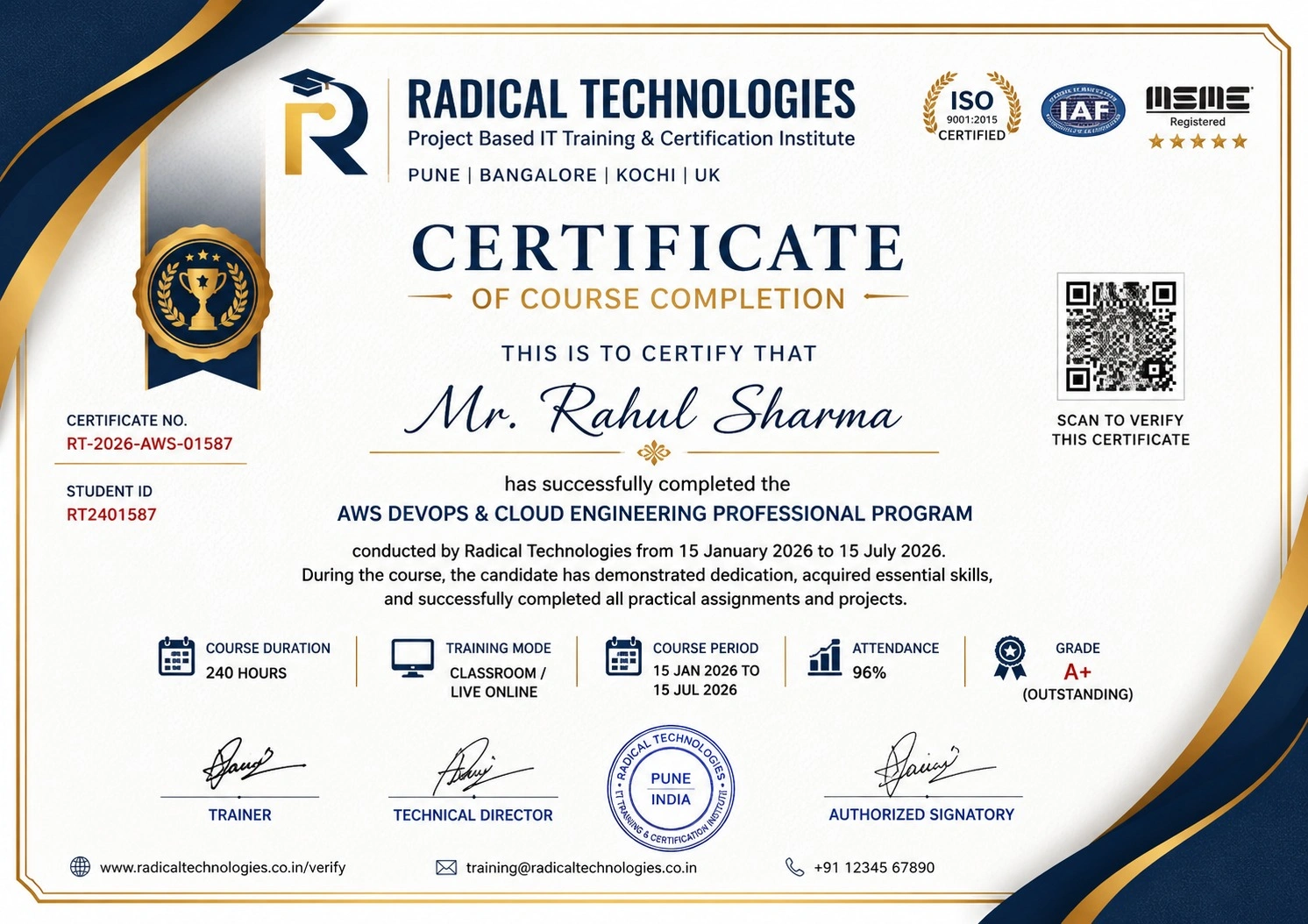
Radical Technologies is the leading IT certification institute in Kochi, offering globally recognized certifications across various domains. With expert trainers and comprehensive materials, we ensure students gain in-depth knowledge and hands-on experience to excel in their careers. Our certification programs are tailored to meet industry standards — from cloud technologies to data science — empowering individuals to stay ahead in the ever-evolving tech landscape.
Recommended Certifications
Career Services
- ATS Resume Preparation
- LinkedIn Profile Optimization
- Cloud Engineer Profile Building
- Azure Project Portfolio
- GitHub Project Guidance
- Technical Mock Interviews
- Scenario-Based Interview Preparation
- Azure Certification Guidance
- DevOps Interview Preparation
- Windows Server Interview Preparation
- AI Fundamentals Interview Preparation
- HR Interview Preparation
- Job Role Mapping
Career Support
Join our Brush-up Session & get support until you find a job!
Get StartedCareer Opportunities
Radical Learning Eco-System
Exam Simulator
Cloud SandBox
Hands-on Cloud Lab
Developer Coding Ground
Student Reviews
Course Rating



Our Alumni Work At













Windows Server | Azure Cloud | Azure Devops | Powershell Scripting – Combo Certification With Training In Kochi
Related Combo Courses
Combo Course In Other Cities
Online Batches Available For These Areas
Ambegaon Budruk | Aundh | Baner | Bavdhan Khurd | Bavdhan Budruk | Balewadi | Shivajinagar | Bibvewadi | Bhugaon | Bhukum | Dhankawadi | Dhanori | Dhayari | Erandwane | Fursungi | Ghorpadi | Hadapsar | Hingne Khurd | Karve Nagar | Kalas | Katraj | Khadki | Kharadi | Kondhwa | Koregaon Park | Kothrud | Lohagaon | Manjri | Markal | Mohammed Wadi | Mundhwa | Nanded | Parvati Hill | Panmala | Pashan | Pirangut | Shivane | Sus | Undri | Vishrantwadi | Vitthalwadi | Vadgaon Khurd | Vadgaon Budruk | Vadgaon Sheri | Wagholi | Wanwadi | Warje | Yerwada | Akurdi | Bhosari | Chakan | Charholi Budruk | Chikhli | Chimbali | Chinchwad | Dapodi | Dehu Road | Dighi | Dudulgaon | Hinjawadi | Kalewadi | Kasarwadi | Maan | Moshi | Phugewadi | Pimple Gurav | Pimple Nilakh | Pimple Saudagar | Pimpri | Ravet | Rahatani | Sangvi | Talawade | Tathawade | Thergaon | Wakad
WINDOWS SERVER | AZURE CLOUD | AZURE DEVOPS | POWERSHELL SCRIPTING – COMBO
Windows Server Administration + Azure Administrator AZ-104 + Azure DevOps AZ-400 + Azure AI Fundamentals + Assignments + Mini Projects + Capstone Project 1 + Capstone Project 2 + Capstone Project 3 + Troubleshooting Scenarios + Best Practices
Tools you'll master